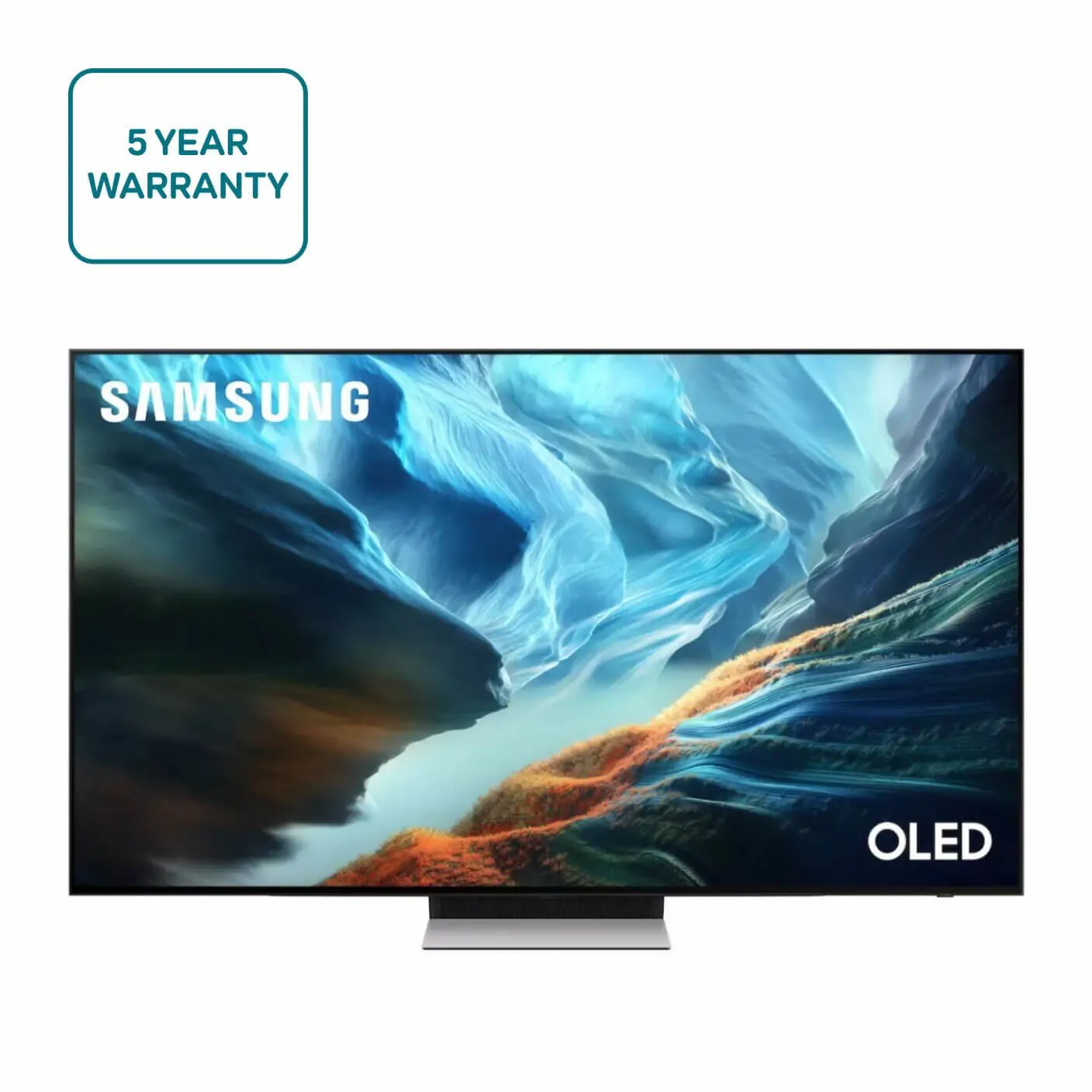
Samsung QE48S95HHEXXU 48-inch OLED Glare Free Vision AI Smart TV
£1,329.00
Samsung QE48S95HHEXXU is a 48-inch OLED Smart TV that features Samsung’s Glare Free Vision and built-in AI smart functionality. It’s well suited for everyday TV viewing and streaming in rooms where a 48″ screen and reduced glare are desirable.
Samsung QE48S95HHEXXU — 48″ OLED Glare Free Vision AI Smart TV
This listing is for the model identified in the product description: “Samsung QE48S95HHEXXU 48“ OLED Glare Free Vision AI Smart TV”. Confirmed facts: Samsung brand, exact SKU QE48S95HHEXXU (also referenced as QE48S95H / S95H), and a 48‑inch OLED panel with marketing claims of “Glare Free Vision” and “AI Smart TV”. No further technical specifications are provided in the source data.
Who should consider this set: buyers after a compact OLED for bedrooms, small living rooms or as a secondary TV where superior black levels and contrast are priorities. The “Glare Free Vision” label suggests anti‑reflection treatment that may help in brighter rooms, but this is a marketing claim rather than a measured performance figure. “AI Smart TV” indicates an onboard smart platform, though the exact operating system, apps and voice services are not specified here.
Top practical trade‑offs to bear in mind: the confirmed OLED panel points to strong contrast potential but does not establish resolution, HDR support, brightness, gaming features, connectivity or sound performance — all of which materially affect usability for 4K home cinema, console gaming and multi‑room AV. Treat this listing as a precise identifier for further checks rather than a complete technical specification; verify the missing items that matter for your setup before purchasing.
Panel type and practical image expectations
- This is an OLED panel (confirmed). In practical terms, OLED panels typically offer strong per‑pixel contrast and very deep blacks because each pixel can switch off independently — useful for dark‑room viewing and TV shows with high contrast scenes. These are general characteristics of OLED technology, not model‑specific measurements.
- What to verify for this exact set:
- Native resolution (4K vs 1080p) — this affects perceived sharpness at typical viewing distances and how well modern streaming and gaming content will scale.
- Measured peak brightness and HDR format support (Dolby Vision / HDR10 / HDR10+ / HLG) — OLED models vary widely in HDR impact based on brightness and tone‑mapping.
- Any manufacturer notes on image retention/burn‑in mitigation and recommended usage patterns for long‑term care.
Viewing distance, placement and room lighting
- Recommended viewing distance depends on resolution:
- If the panel is 4K: sitting around 1.0–1.5 m to 2.0 m will deliver a detailed, immersive picture on a 48″ screen.
- If the panel is 1080p: consider a longer distance (roughly 2.0–3.0 m) to avoid visible pixel structure.
- “Glare‑free” claims can help in bright rooms, but verify real‑world performance before relying on it. Position the set to minimise direct window reflections (avoid facing large windows) and test at different times of day if possible.
- Wall‑mount vs stand:
- Confirm VESA mounting pattern and the clearance needed for cable routing behind the TV.
- Check stand width if you plan to place the TV on furniture — some 48″ sets have wide feet that require a large cabinet.
Resolution, HDR and gaming — practical checks
- Resolution matters for streaming, PC use and consoles. Before purchase, ask the retailer/manufacturer to confirm the native resolution and how the TV handles scaling of 1080p and 720p sources.
- HDR behaviour:
- Confirm which HDR formats are supported and whether the TV advertises dynamic metadata handling (e.g., Dolby Vision or HDR10+), because format support affects how HDR content is tone‑mapped.
- Ask for measured peak brightness figures if HDR performance is important for you; high contrast alone does not guarantee bright‑highlight punch.
- Gaming features to confirm if you use consoles or PCs:
- Supported refresh rates (is 120 Hz available?) and whether 4K@120 is supported.
- Support for VRR/ALLM and which HDMI version(s) are implemented — these materially affect latency and compatibility with modern consoles.
Connectivity, audio pass‑through and setup checklist
- Connectivity to confirm:
- Exact number and version of HDMI ports and whether any are HDMI 2.1 capable.
- eARC vs ARC support — eARC is important if you plan to pass high‑bitrate multichannel audio from streaming apps through the TV to a soundbar/AVR.
- USB ports, Ethernet, optical audio out and whether Bluetooth, AirPlay or Chromecast are supported (do not assume any of these).
- Audio and external gear:
- Confirm onboard speaker specs and supported surround codecs if you rely on the TV for sound; plan for a soundbar or AVR if those specs are not suitable.
- Check whether the remote and TV support voice assistants you use and whether the TV can pair with wireless subwoofers/speakers.
- Setup and ongoing support:
- Ask about firmware update policy, UK warranty/support channels and what is included in the box (remote, batteries, cables).
- Confirm power connector type and any stated energy‑use figures relevant to installation location.
Samsung QE48S95HHEXXU — Final pre-purchase checks
Before purchase, confirm the items below that could materially affect compatibility, installation or long‑term use.
- Native resolution and panel sub‑type (is it 4K or 1080p; which OLED technology) — this impacts sharpness and source scaling.
- HDR support and peak brightness: which HDR formats are supported (Dolby Vision / HDR10+ / HDR10 / HLG) and any measured peak‑nit figures.
- HDMI specifics: exact port count and per‑port version; which port(s) (if any) support 4K@120, VRR/ALLM and what HDCP version(s) are implemented.
- Audio passthrough: confirm eARC vs ARC support and whether multichannel/lossless bitstream passthrough and onboard decoding (Dolby Atmos / DTS) are supported.
- Physical fit: full dimensions including depth with stand, VESA mounting pattern and stand/footprint to ensure wall‑mount or furniture compatibility and cable clearance.
- Box contents and regional fit: which remote is included (IR vs Bluetooth/voice), which cables (HDMI/power) are supplied, and that the power plug/voltage matches UK requirements.