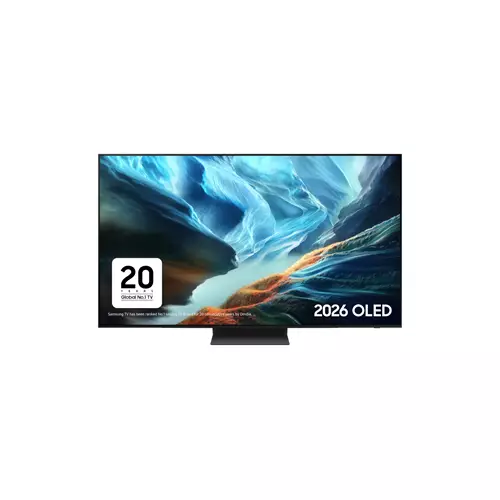
LG OLED48C66LB.AEK 48-inch 4K OLED evo Ai Smart TV (2026)
£1,199.00
The LG OLED48C66LB.AEK is a 48‑inch OLED evo 4K Ai Smart TV from LG’s 2026 C66 series. Its 4K OLED evo panel and AI smart-TV features make it suitable for streaming, movies and everyday home viewing.
LG OLED48C66LB.AEK — 48″ 4K OLED evo Ai Smart TV (2026)
This entry is for the LG OLED48C66LB.AEK, a 48‑inch 4K OLED evo Ai Smart TV from LG’s 2026 range. The product identity shown is explicit: brand LG, exact SKU string LG OLED48C66LB.AEK, 48″ screen, 4K resolution, the OLED evo panel name and Ai Smart TV branding. The supplied data does not include detailed technical items such as HDMI versions, HDR formats, speaker specifications, peak brightness figures or mounting details — those must be checked with the retailer or manufacturer before purchase.
In practical terms the 48″ OLED evo form factor is aimed at buyers who want premium picture quality in a compact footprint — bedrooms, small living rooms or a desk/console gaming area where deep blacks and wide viewing angles matter more than sheer screen size. Expect the typical strengths of OLED technology (excellent contrast and inky blacks) and the usual caveats that apply to slim OLED sets: confirm HDR peak performance, long‑term usage guidance and whether the built‑in audio suits your room.
- Good if you prioritise picture quality in a space‑efficient 48″ set.
- Check connectivity, HDR and audio details if you need advanced gaming features or a dedicated AV setup.
Viewing distance, room and placement
- Practical viewing range for a 48″ 4K screen: for desktop/console use sit closer (roughly 1.0–1.5 m) to appreciate fine detail; for sofa/TV use plan for a slightly greater distance (around 1.5–2.5 m). These are general guides — choose based on how immersive you want text/game UI vs overall field of view.
- OLED panels typically offer wide viewing angles, so off‑axis seating is less of an issue than with many LCDs. Still check room lighting and reflectance: glossy screen surfaces can show reflections in bright windows or under direct lights.
- Measure the intended stand or wall location before purchase:
- Confirm depth and clearance if using a low TV stand (centre of screen height matters for comfortable viewing).
- If wall‑mounting, note you will need the set’s VESA pattern and the physical distance from the wall (slim OLEDs are shallow, but confirm exact depth).
Connectivity and source compatibility — what to verify
- Do not assume advanced HDMI features: confirm the exact number of HDMI ports and per‑port capabilities (bandwidth, which ports support any high‑rate modes). These determine whether your console/PC can run at 4K@120 or other high‑bandwidth modes.
- Check audio pass‑through options: eARC vs ARC vs optical. eARC is needed to pass higher‑quality object‑based audio to soundbars/AVRs without compression.
- Verify HDR and app compatibility: confirm which HDR formats (Dolby Vision, HDR10, HDR10+, HLG) the TV supports and that UK streaming apps you use are available on the TV’s OS.
- Network and peripheral items to confirm: Wi‑Fi standard (for stable 4K streaming), Ethernet port, Bluetooth version and USB ports. Also check support for casting/AirPlay/Chromecast if you rely on those features.
Everyday sound — expectations and quick solutions
- Slim OLED TVs often prioritise picture over loud, room‑filling bass. For movies or larger rooms plan for a dedicated soundbar (+ optional subwoofer) rather than relying on built‑in speakers.
- If using external audio, check whether the TV supports passthrough of Atmos or other formats (this requires confirming eARC and format support) or if the TV only decodes and downmixes internally.
- Practical setup tips:
- Place a soundbar directly under the screen for clearer dialogue.
- If using a separate AVR, confirm optical vs HDMI inputs to match your devices.
Gaming and PC use — practical confirmations and care
- Before assuming high‑end gaming capability, confirm: supported refresh rates (and on which HDMI ports), VRR/ALLM support, and any quoted input‑lag figures.
- For PC users check scaling behaviour and HDR handling (some TVs apply tone‑mapping differently in PC mode). Test a console/PC on the display if possible to confirm real‑world behaviour.
- OLED ownership notes to protect the panel:
- Rotate content and avoid long static HUDs or channel logos for extended periods to reduce burn‑in risk.
- Use any built‑in pixel‑shift or automatic screen‑saver features if present (confirm they exist for this model).
- Keep the TV firmware updated — manufacturers issue fixes and improvements that can affect gaming and image retention handling.
LG OLED48C66LB.AEK — final pre-purchase checks
Before committing, confirm these unresolved, purchase‑critical items that could change compatibility, installation or ownership.
- HDMI per‑port capabilities: exact number of HDMI ports and per‑port version/bandwidth; which port(s) explicitly support 4K@120Hz, VRR and ALLM.
- eARC and audio pass‑through: is eARC present (not just ARC)? Which formats can be passed through or decoded (Dolby Atmos, TrueHD, DTS variants) and are there known passthrough limits?
- HDR support and HDR performance: which HDR formats are supported (Dolby Vision, HDR10+, HDR10, HLG) and what peak HDR/typical nit figures or tone‑mapping behaviour are quoted?
- Gaming latency and modes: quoted input‑lag in Game/PC mode(s) and any port/mode caveats that affect low‑latency operation.
- Physical fit and mounting: VESA pattern, stand width and depth, TV weight and clearance from wall (so your stand or bracket and cable routing fit).
- Regional/packaging specifics: confirm that the “.AEK” SKU is the UK variant (mains lead/tuner/remote/warranty region) and which accessories (remote, HDMI cable, feet) are included.