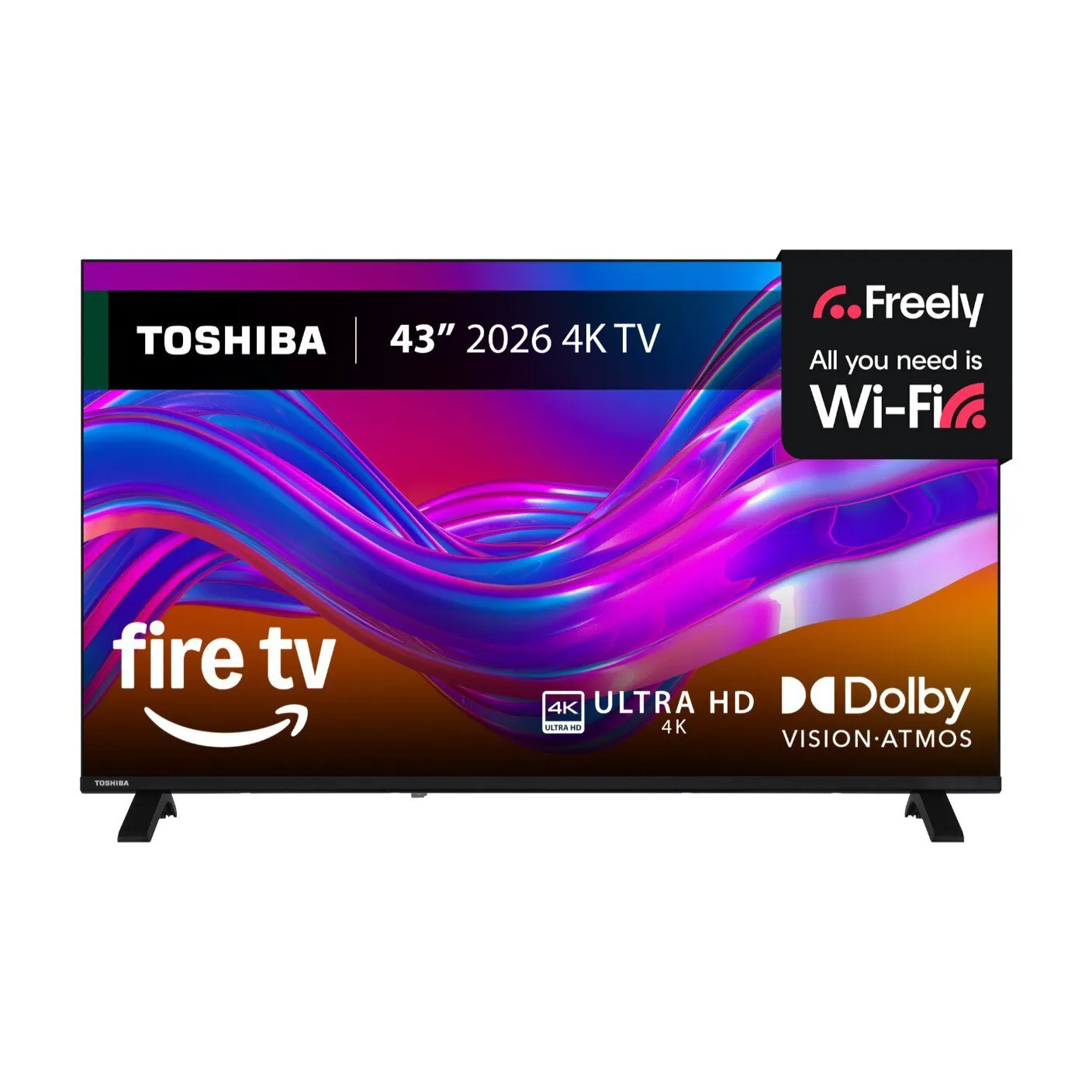
Toshiba UF26 DLED 4K Fire TV Smart TV – Dolby Vision & Dolby Atmos
£299.00
The Toshiba UF26 is a DLED 4K smart TV running Amazon Fire TV with Dolby Vision and TRU Flow motion technology, and it supports Dolby Atmos audio and Sound by Onkyo. Built for streaming and shared household use, it offers Fire TV navigation, Alexa voice control, a Freely button for live and on-demand TV and support for up to 6 user profiles with personalised watchlists.
Toshiba UF26 DLED 4K Fire TV – concise editorial summary
The Toshiba UF26 DLED 4K Fire TV is a smart LED television that runs the Amazon Fire TV platform. From the supplied information this exact SKU is described as a 4K DLED set with Dolby Vision HDR, Dolby Atmos audio and “Sound by Onkyo”, TRU Flow motion processing, the Alexa Voice Remote (including a Freely button for live/on‑demand TV) and support for up to six user profiles. Treat those items as the confirmed, model-specific facts.
This model is aimed at buyers who prioritise streaming convenience and out‑of‑the‑box smart functionality: families or shared households who want multiple personalised profiles, quick access to live and on‑demand services via Fire TV, and an all‑in‑one set that claims upgraded HDR and immersive audio formats. It is presented as a budget‑minded smart 4K option rather than a specialist gaming or high‑end reference display.
Important trade‑offs to note: several key hardware details are not supplied, so picture and sound performance will depend heavily on factors not confirmed here (screen size, panel brightness/contrast, port/HDMI specifications and exact speaker implementation). Dolby Vision and Dolby Atmos are meaningful advantages in principle, but their real impact depends on the panel’s brightness and the TV’s audio output capabilities. TRU Flow may improve motion for fast content but can also introduce processing artefacts for some viewers. If you need the set for gaming, AV‑system integration or critical HDR viewing, check the missing hardware specifics before you buy.
- Key confirmed features: 4K DLED panel, Amazon Fire TV, Dolby Vision, Dolby Atmos, Sound by Onkyo, TRU Flow, Alexa Voice Remote, Freely button, up to 6 profiles.
Placement and viewing environment
- Measure the intended space before buying: confirm the exact screen diagonal, full width with the stand attached, and VESA mount pattern. These are model/size specific and not supplied here.
- Basic 4K viewing-distance guidance (general): you can sit closer than with 1080p sources. Typical comfortable distances are roughly:
- 43″ – 1.0–1.8 m
- 50″ – 1.2–2.0 m
- 55″ – 1.3–2.3 m
- 65″ – 1.5–2.8 m
Use the distance best suited to your room and whether you prefer an immersive or more relaxed viewing experience.
- Room light matters for HDR: Dolby Vision can benefit from higher peak brightness and good contrast. If your room is very bright, expect a reduced HDR effect compared with a dimmed room — check peak brightness and anti‑glare performance for the exact size you consider.
- Allow clearance for ventilation and cable routing. If wall‑mounting, verify the VESA pattern and that the chosen bracket clears the TV’s rear ports and stand footprint dimensions.
Connecting and integrating with AV systems
- Confirm HDMI and audio connection details before purchase:
- How many HDMI ports are fitted and what version each port supports (don’t assume HDMI 2.1).
- Whether the TV supports ARC or eARC for Dolby Atmos pass‑through to a soundbar/AVR — if unknown, plan for an optical or HDMI workaround.
- Dolby Atmos on the TV can mean either built‑in processing (virtualised audio) or pass‑through to an external decoder. To get full object‑based Atmos to a soundbar or AVR, confirm eARC presence and any known limitations.
- If you intend to use a set‑top box, game console or AV receiver, check supported HDCP levels and any noted limitations with 4K HDR sources. Ask the retailer/manufacturer for port‑by‑port details for the exact SKU.
Daily use, smart features and maintenance
- Fire TV platform practicalities:
- Set up separate user profiles (up to six reportedly supported) to keep recommendations and watchlists distinct.
- The Freely button aims to simplify live/on‑demand access — confirm which UK services it launches on your regional firmware.
- Network and updates: verify the TV’s Wi‑Fi standard and Ethernet availability if you need a wired connection. Confirm the manufacturer’s firmware update policy and how updates are delivered via Fire TV.
- Privacy and accounts: Fire TV ties closely to Amazon accounts. Review account linkage and privacy settings (voice recordings, app permissions) during setup.
- Accessories and care: check what is included (remote variant, batteries, mains lead) and whether a basic picture‑calibration mode is available; consider a simple calibration pattern or professional tune if accurate colours are important.
Gaming and source compatibility
- Do not assume advanced gaming features. Before buying, request these specifics for the exact SKU:
- Native refresh rate and whether 4K@120Hz is supported.
- Support for VRR, ALLM and any published input‑lag figures.
- If you plan serious console gaming, prioritise a set that documents low input lag and explicit HDMI/gaming feature support; otherwise, expect typical budget‑class behaviour unless the vendor confirms otherwise.
- Check compatibility with upstream sources (Blu‑ray/streamers/consoles) for HDR formats beyond Dolby Vision (HDR10, HDR10+, HLG) — these are not all confirmed here and affect how content appears.
Toshiba UF26 DLED 4K Fire TV — final pre‑purchase checks
Before you buy, confirm these specific hardware and compatibility points for the exact SKU you’ll receive; any one of them could change installation, system integration or everyday use.
- Exact screen size and full physical dimensions (width with stand, depth, weight) plus VESA mount pattern — required for furniture fit and wall‑mount planning.
- HDMI port count and per‑port capabilities (HDMI 2.0 vs 2.1, which ports support higher bandwidth) — needed for 4K sources, consoles and every device’s best connection.
- eARC vs ARC and confirmed Atmos behaviour (object‑based Atmos pass‑through to an AVR/soundbar vs built‑in virtualisation) — essential for your desired audio setup.
- Native refresh rate, any 4K@120Hz support, VRR/ALLM support and published input‑lag figures — decisive for console gaming suitability.
- Peak brightness (nits) and whether local dimming is present — these materially affect Dolby Vision HDR performance in real rooms.
- Tuner/broadcast support for your region (Freeview/Freeview Play or other) and network hardware (Wi‑Fi standard, Ethernet) — ensures compatibility with live TV and stable streaming.