Samsung QE48S90HAEXXU 48-inch OLED Glare Free Vision AI Smart TV
£1,099.00
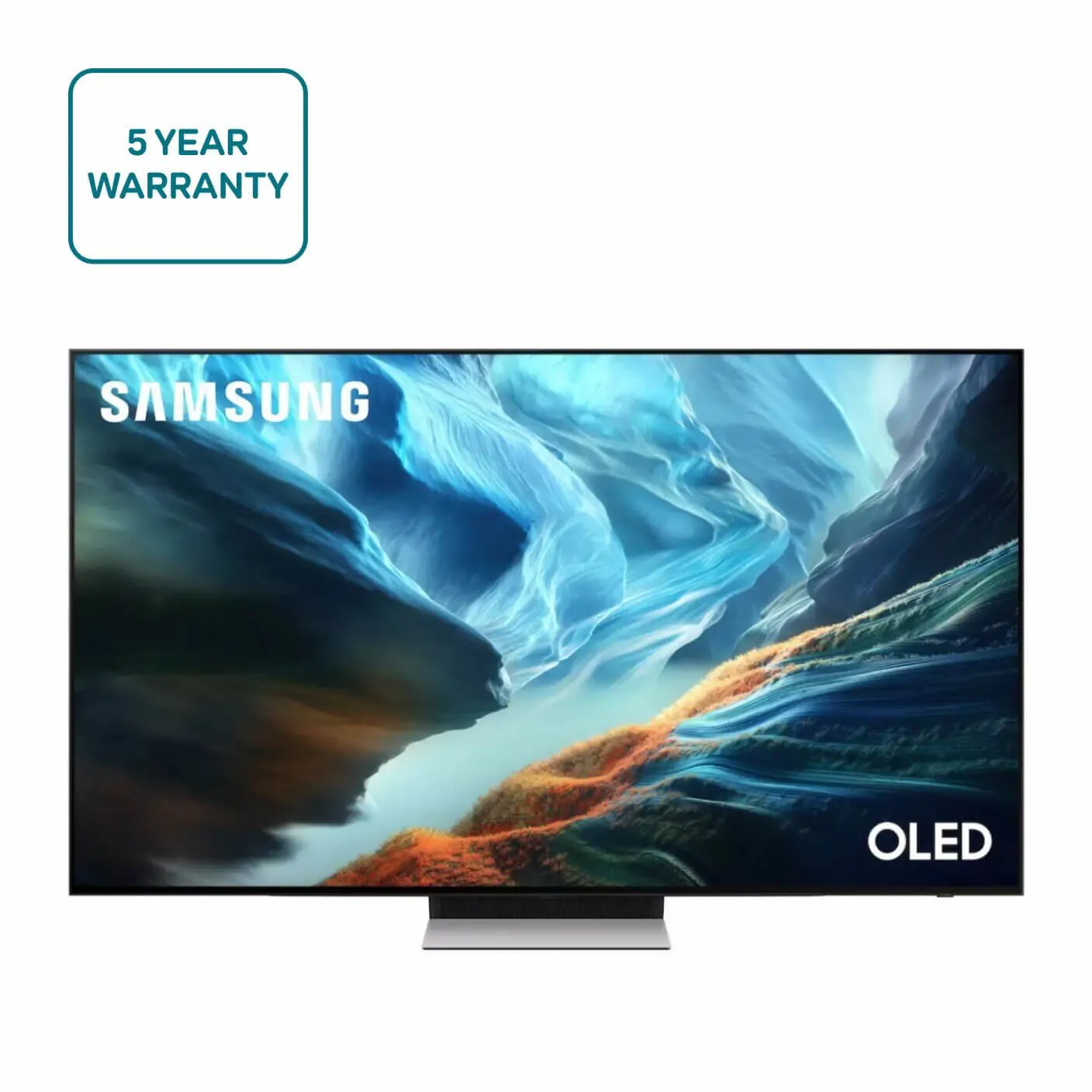
The Samsung QE48S90HAEXXU is a 48-inch OLED television from the S90HA series featuring Samsung’s Glare Free Vision and AI smart TV capabilities. It’s intended for everyday viewing and streaming, particularly in rooms where reduced screen glare is helpful. The EXXU suffix indicates a specific regional/retailer variant of the model.
Samsung QE48S90HAEXXU — 48″ OLED Glare Free Vision AI Smart TV
This listing is for the Samsung QE48S90HAEXXU, a 48‑inch OLED Smart TV sold under the “OLED Glare Free Vision AI Smart TV” name. The model code confirms it sits in Samsung’s S90HA series; the trailing “EXXU” is a manufacturer/region/retailer variant suffix. The supplied data establishes brand, exact model string, screen size and marketing label only — other technical specifics are not provided here.
Practically, this is aimed at buyers who want a compact OLED: people seeking superior contrast and deep blacks in a living room, bedroom or as a premium second set. The marketing focus on “glare free” suggests Samsung is positioning this panel for rooms where reflections are an issue, so it could suit viewers who prioritise reduced screen reflection over simply choosing a larger display. Gamers and AV integrators may find the size convenient, but should confirm whether the SKU supports the connectivity and gaming features they need before purchase.
General OLED strengths — excellent black levels, strong contrast and wide viewing angles — are the format’s typical benefits, while any anti‑glare treatment can bring trade‑offs such as altered highlights or different perceived peak brightness. Because the supplied description lacks detailed specifications, treat this entry as a clear identification of the exact model and marketing claim, and verify region‑specific features and technical details with the retailer or manufacturer before committing.
Setup, placement and mounting
- Room layout: place the screen so primary viewing angles avoid direct sunlight or bright windows hitting the panel. OLED panels typically render deep blacks—positioning to reduce reflections will preserve perceived contrast.
- Viewing distance (conditional): confirm native resolution first. If the panel is 4K, typical comfortable viewing distances for a 48″ set range from ~1.0–2.0 metres depending on eyesight and content; if the panel is lower resolution, increase distance to avoid visible pixel structure.
- Mounting considerations: request exact physical dimensions (with and without stand), weight and VESA pattern from the retailer. Measure stand width if you plan to use furniture rather than a wall mount—some 48″ OLED stands are wider than the panel’s bezel footprint.
- Cables and power routing: plan cable runs for HDMI(s), Ethernet and power. If you intend to use a wall mount, confirm whether the supplied power cable is long enough or if an in-wall power source is needed (check local regulations for concealment).
Viewing environment and the “Glare Free Vision” claim
- What to expect: “Glare free” usually refers to an anti‑reflective surface treatment. That generally reduces mirror-like reflections but can alter highlight appearance and slightly change perceived peak brightness—ask the manufacturer for a technical description of the coating used on this specific SKU.
- Room light planning: even anti‑reflective coatings are most effective when bright lights are offset or diffused. For best dark‑scene performance, use dimmable ambient lighting and avoid strong point sources directly opposite the screen.
- Cleaning and care: follow Samsung’s guidance for any coated screen—use a soft, lint‑free cloth and avoid solvents. Ask whether the coating requires specific cleaning methods or supplied protectors.
- Burn‑in mitigation (generic OLED guidance): avoid static full‑screen logos or long static UI elements for extended periods; use screen savers and automatic pixel shift features if offered—confirm which safeguards this model provides.
Connectivity, sources and gaming system-use
- Confirm port capabilities before depending on features: number of HDMI ports, HDMI version/bandwidth, eARC presence, and USB/optical inputs—these determine multi‑device setups and advanced audio routing.
- Gaming: if you plan to use modern consoles or a gaming PC, verify support for high‑refresh modes (e.g., 120Hz) and variable refresh (VRR) along with input‑lag figures. Do not assume any HDMI 2.1 features are present without explicit confirmation.
- Smart/streaming sources: check which smart platform and streaming apps are included for your region and whether an Ethernet port or Wi‑Fi standard (ac/ax) is supported for reliable 4K streaming.
- Multi‑room and voice: confirm Bluetooth and casting/AirPlay support if you use phone casting or wireless speakers, and check whether the TV exposes necessary controls in the platform/app ecosystem you use.
Maintenance, updates and region-specific checks
- Firmware and support: ask Samsung/retailer about firmware‑update policy and typical update cadence for this regional SKU (the EXXU suffix can indicate region/retailer variants).
- Accessories and warranty: verify what’s included in the box (remote model, batteries, power cable, screws) and the exact UK warranty length and support contact process.
- Energy and power: request power consumption figures for typical and peak use if you track running costs or plan integration with smart home power management.
- Document anything important: note & save model‑specific documentation and firmware release notes after purchase—these will be needed for troubleshooting and to confirm any feature changes tied to regional firmware.
Samsung QE48S90HAEXXU — Final pre‑purchase checks
Before you buy, confirm these specific, purchase‑critical details that could change compatibility, installation or everyday use.
- Native resolution and HDR support — confirm whether this exact SKU is 4K and which HDR formats it supports (Dolby Vision, HDR10+, HDR10, HLG) and provide measured/claimed peak brightness.
- HDMI ports and gaming features — exact HDMI count and which ports (if any) support HDMI 2.1 bandwidth, 4K@120Hz, VRR and ALLM; request per‑port feature mapping and input‑lag figures.
- Audio passthrough and eARC — confirm if eARC is present, its supported codecs/bitrates and whether Dolby Atmos passthrough is guaranteed on the EXXU firmware.
- UK tuner and smart platform — verify DVB‑T2/Freeview (or Freeview Play) support for the UK market and confirm the smart OS/app availability for this regional SKU.
- Mounting and dimensions — get VESA pattern, full dimensions with stand, overall weight and stand width to ensure wall‑mount or furniture fit.
- “Glare Free Vision” treatment — ask whether the anti‑glare coating is fitted to this EXXU unit and whether Samsung publishes reflectance or brightness‑impact figures for it.
- Box contents and network specs — confirm included remote/cables and the Wi‑Fi (ac/ax) and Ethernet capabilities to ensure network streaming and accessory compatibility.