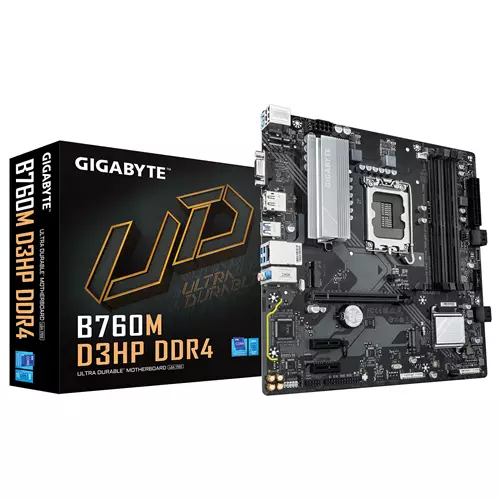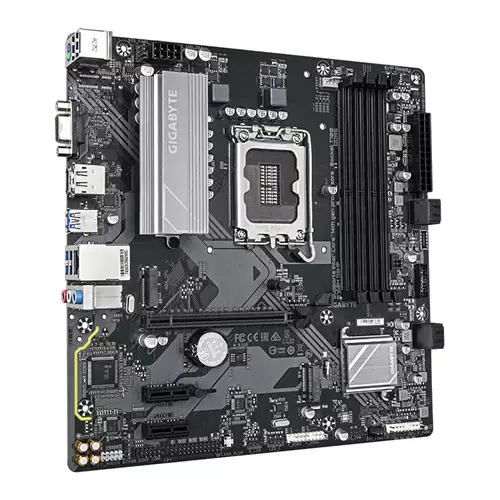
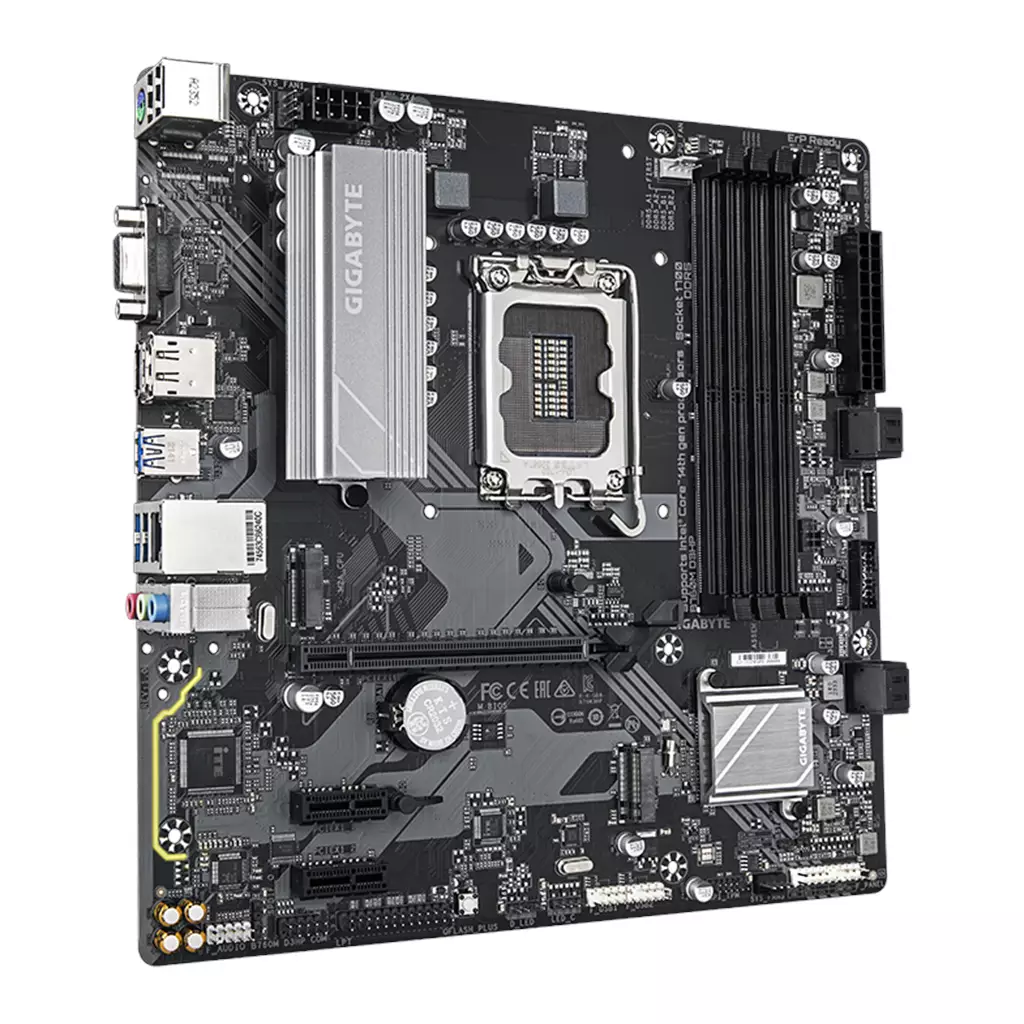
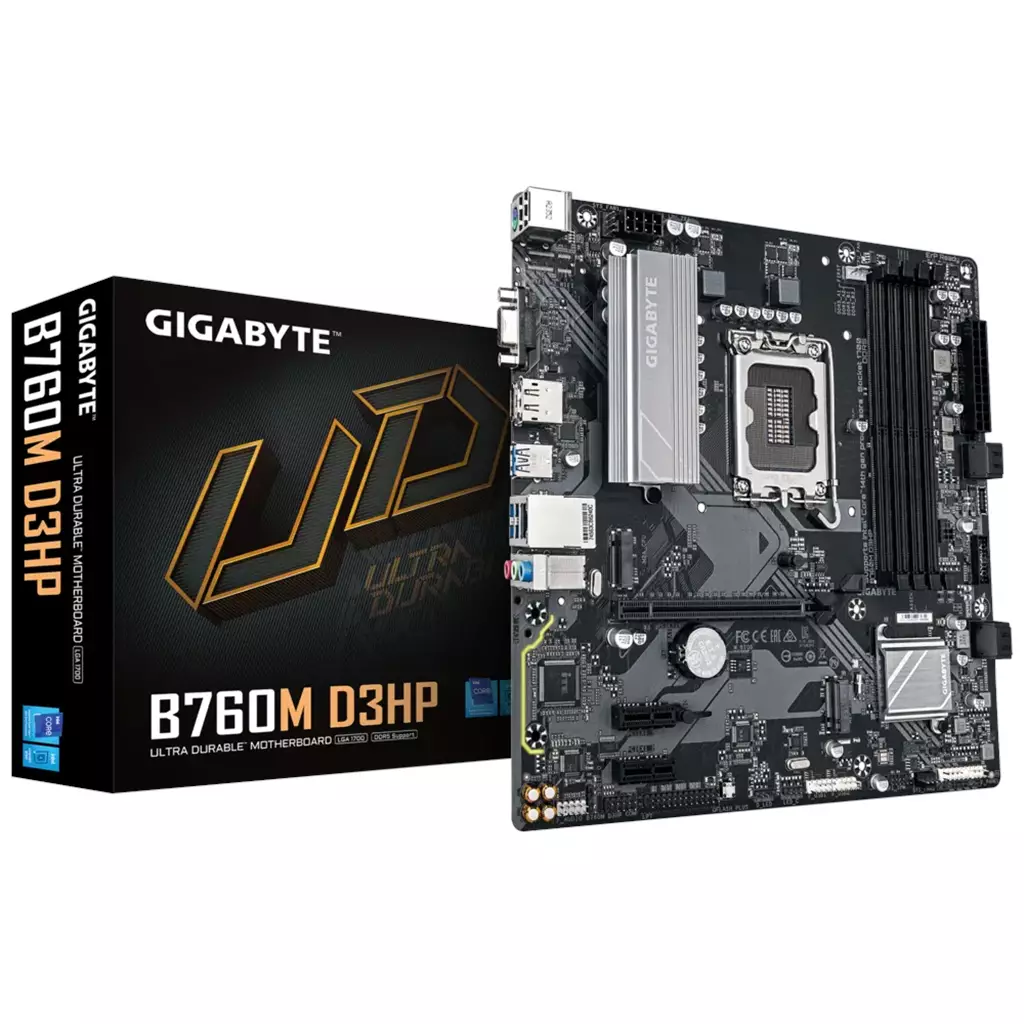
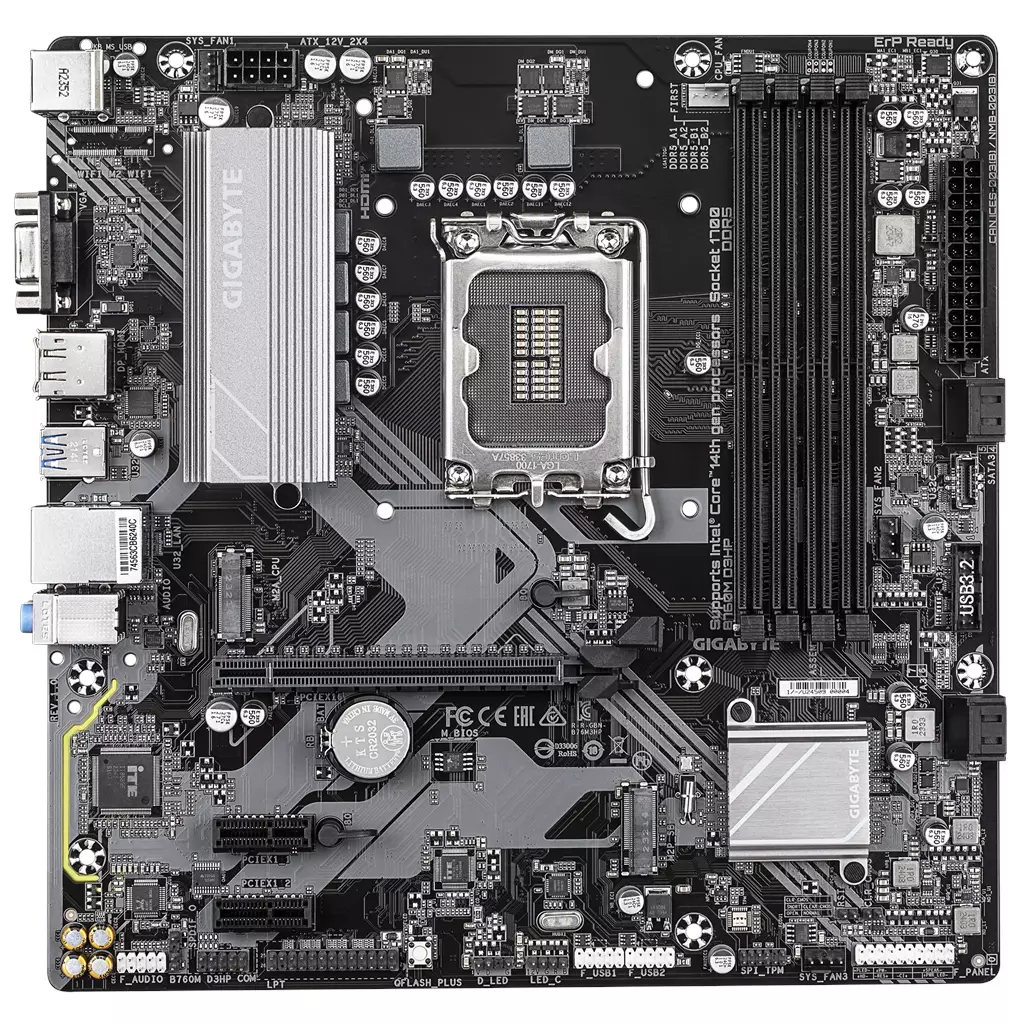
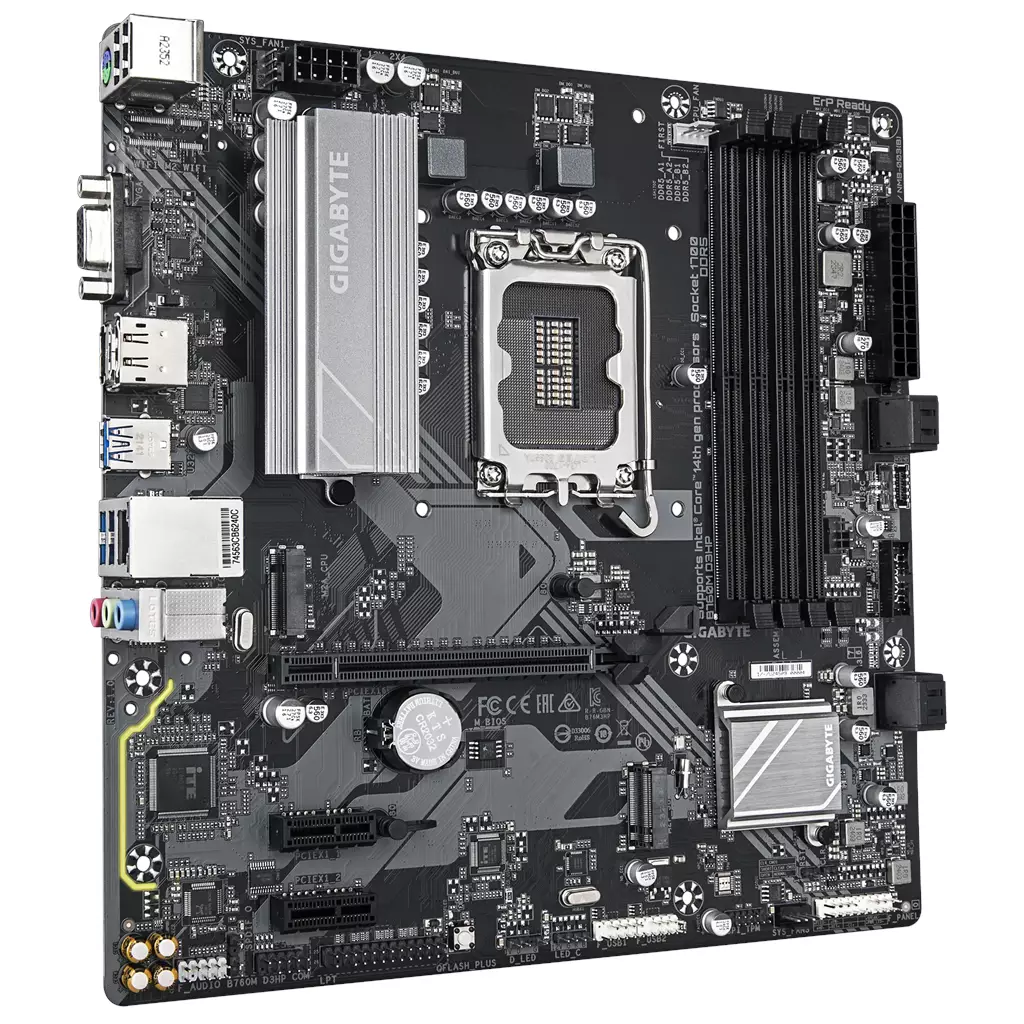
GIGABYTE B760M D3HP Motherboard (DDR5, Hybrid 4+1+1 Digital VRM)
£112.86
GIGABYTE B760M D3HP (DDR5) supports Intel 14th/13th/12th Gen processors and provides dual‑channel DDR5 across four DIMMs with XMP support. It features a Hybrid 4+1+1 digital VRM, two PCIe 4.0 x4 M.2 slots for NVMe storage, GbE LAN and display outputs including HDMI, D‑Sub and a USB‑C with DisplayPort capability. Suited for building a DDR5 Intel system with fast NVMe storage and integrated iGPU display support.
GIGABYTE B760M D3HP (DDR5 variant) — DDR5-capable Intel B760 motherboard for everyday builds
The GIGABYTE B760M D3HP (DDR5 variant) is a B760-series desktop motherboard sold for use with Intel 12th, 13th and 14th Generation Core processors. The supplied product data confirms DDR5 memory support across four DIMM slots, two PCIe 4.0 x4 M.2 connectors for NVMe storage, basic display outputs (HDMI and D-Sub) plus a USB‑C port advertised with DisplayPort capability, and Gigabit Ethernet for wired networking.
This board is suited to mainstream PC builders and upgraders who prioritise modern DDR5 memory, multiple NVMe drives and simple onboard video for systems that may run without a discrete GPU. It looks appropriate for home and office productivity machines, light gaming or media PCs where high‑speed NVMe storage and XMP-capable DDR5 matter more than built‑in Wi‑Fi or extensive expansion.
- Confirmed CPU support: Intel Core 14th / 13th / 12th Gen (buyers should verify exact CPU/socket compatibility and required BIOS version).
- Memory: Dual‑channel DDR5 with 4 × DIMM slots and XMP memory module support; marketing lists up to 5600MHz in the title but also claims “DDR5 Overclocking Up to 7600 and Beyond” in the description — this is a conflicting marketing claim and buyers should confirm supported frequencies and the motherboard QVL.
- Storage/expansion: 2 × PCIe 4.0 x4 M.2 connectors and PCIe 4.0 hardware design (exact PCIe slot lane allocation and SATA port counts are not established from the supplied data).
- Connectivity and features: GbE LAN, front USB‑C 5 Gb/s (advertised with DP capability), HDMI and D‑Sub outputs, Smart Fan 6, Q‑Flash Plus and a Hybrid 4+1+1 digital VRM solution.
What this means in practice: you get a modern DDR5 platform with plentiful M.2 NVMe options and simple display outputs suitable for use with CPUs that have integrated graphics. Important trade‑offs to check before purchase include the conflicting DDR5 frequency claims, the motherboard’s full rear I/O and internal header layout, exact HDMI/DisplayPort versions and maximum display resolutions/refresh rates, the number and behaviour of SATA ports when M.2 slots are populated, and whether the SKU includes Wi‑Fi/Bluetooth — several of these items are not established from the supplied data and should be confirmed with the seller or manufacturer.
Who this board is for — quick buyer summary
The GIGABYTE B760M D3HP (DDR5 variant) targets mainstream Intel desktop builds that need modern DDR5 memory support, two high-speed NVMe slots and basic onboard video without paying for Wi‑Fi or workstation features. Confirmed highlights include Intel 12th–14th Gen CPU support, four DDR5 DIMM slots with XMP support, two PCIe 4.0 x4 M.2 connectors and Gigabit Ethernet.
- Good fit: home/office productivity PCs, light gaming or media machines that will use an OS NVMe drive + secondary NVMe, and builds relying on the CPU iGPU for display output.
- Less likely to suit you if you need integrated Wi‑Fi/Bluetooth, large multi‑GPU/PCIe expansion, or guaranteed high-end overclocking headroom (those details are not fully established).
Memory and overclocking — DDR5 realities
What’s confirmed: the board accepts dual‑channel DDR5 across 4 DIMM slots and supports XMP memory modules. Marketing lists both “up to 5600MHz” (title) and “DDR5 Overclocking Up to 7600 and Beyond” (description). These are conflicting statements in the supplied data.
- Practical implication: you can install modern DDR5 kits and use XMP profiles, but the actual maximum stable frequency will depend on the motherboard BIOS, the specific CPU memory controller, and the exact RAM kit. The advertised overclock ceiling is a marketing claim—confirm supported frequencies on Gigabyte’s QVL or ask the seller for tested module results.
- Unknowns to confirm: official maximum RAM capacity, the QVL list for validated modules, and which overclock frequencies the shipped BIOS supports for your intended CPU.
Storage, PCIe expansion and practical layout
Confirmed storage/expansion items: two PCIe 4.0 x4 M.2 connectors are available and the board uses a PCIe 4.0‑compatible hardware design (the description references one or multiple PCIe 4.0 x16 slot(s)).
- Practical use: two PCIe 4.0 M.2 slots let you run a fast NVMe OS drive plus a second high‑speed NVMe for games, scratch or media libraries.
- Unknowns to confirm: exact number and placement of full‑length PCIe x16 and x1 slots, lane allocation (how lanes are shared between slots and M.2), whether any SATA ports are disabled when M.2s are populated, and whether M.2 slots include heatsinks or thermal guards.
I/O, display outputs and networking — what to expect
Confirmed I/O highlights from the supplied data include a front USB‑C port advertised as 5 Gb/s with DisplayPort capability, HDMI and D‑Sub display outputs, USB 3.2 Gen 1 / 5 Gb/s connectivity references, and GbE LAN with bandwidth management.
- Practical implication: you can use CPUs with integrated graphics to get video output via HDMI, D‑Sub or the USB‑C (DP) port. The front USB‑C port is useful for modern peripherals and monitors that accept DisplayPort Alt Mode.
- What is not established from the supplied data: HDMI and DisplayPort version numbers, the maximum resolutions/refresh rates each port supports, the full rear I/O layout and total USB port counts, and whether any USB‑C ports support charging, USB4 or Thunderbolt. Also, Wi‑Fi/Bluetooth presence is not established from the supplied data (only GbE LAN is confirmed).
Power, VRM, cooling and building notes
Confirmed hardware/utility notes: the board uses a “Hybrid 4+1+1 digital VRM” (marketing), includes GIGABYTE Smart Fan 6 controls (multiple temperature sensors, hybrid fan headers and FAN STOP), and features EZ‑Latch for easier GPU removal. Q‑Flash Plus is supported with explicit instructions that the 24‑pin and an 8‑pin power cable must be connected to perform a BIOS update without CPU/memory/GPU installed.
- Practical implication: the 4+1+1 VRM design suggests a focus on efficient, reliable power for mainstream CPUs; it’s likely adequate for everyday builds and light-to-moderate CPU loads, but you should confirm suitability (and any recommended BIOS version) if you plan to use high‑power 13th/14th Gen CPUs or aggressive overclocking.
- Smart Fan 6 and hybrid headers make it easier to tune case fans and AIO pumps; Q‑Flash Plus is useful to update BIOS for CPU support without having to temporarily install a working CPU.
- Unknowns to confirm: exact CPU socket designation, detailed VRM component specs, recommended power delivery limits for specific CPUs, full power connector layout beyond the 24‑pin + 8‑pin, and included cooling/accessory hardware.
GIGABYTE B760M D3HP — final pre-purchase checks
Quick checks to confirm this DDR5 B760 motherboard fits your planned build and components.
- CPU/socket/BIOS: confirm the exact CPU socket/chipset and the BIOS microcode required for your intended 12th/13th/14th‑Gen Intel CPU — the exact socket/pin and required BIOS version are not established from the supplied data; if needed, be prepared to use Q‑Flash Plus to update BIOS.
- Memory limits and frequencies: verify the official maximum RAM capacity and the motherboard QVL for your DDR5 kit; reconcile the marketing frequency claims (product title lists “up to 5600MHz” while the description also claims “DDR5 Overclocking Up to 7600 and Beyond”) so you know which frequencies are supported for this SKU.
- Form factor and clearances: confirm the board’s form factor and exact dimensions (not established from the supplied data) and check case mounting, GPU length, and CPU cooler clearance before buying.
- Storage ports and lane sharing: ask the seller/manufacturer for the number/specification of SATA ports and whether any SATA or PCIe lanes are disabled when the two PCIe 4.0 M.2 slots are populated (not established from the supplied data).
- Display/USB‑C details: confirm which display outputs are on the rear I/O versus headers, the HDMI/DisplayPort (via USB‑C) version numbers and supported resolutions/refresh rates, and whether the advertised USB‑C DP is a rear I/O port or a front‑panel header (these details are not established from the supplied data).
- Wireless and audio specifics: verify whether this exact SKU includes Wi‑Fi/Bluetooth and whether antennas are supplied (not established from the supplied data); if audio quality matters, ask for the exact audio codec/model (not established from the supplied data).
- Accessories and power requirements: confirm included accessories (I/O shield, SATA cables, M.2 screws, M.2 heatsinks — not established from the supplied data) and ensure your PSU provides the required 24‑pin ATX and 8‑pin CPU power connectors (needed for Q‑Flash Plus) plus sufficient wattage for your chosen CPU and GPU.
Prices & Availability
Check and compare current prices and availability from retailers below.
 Quzo.co.uk