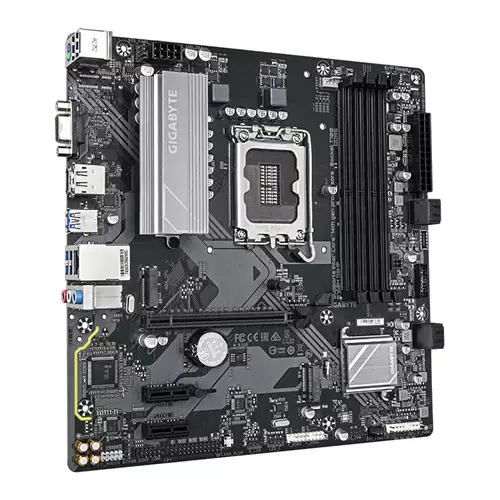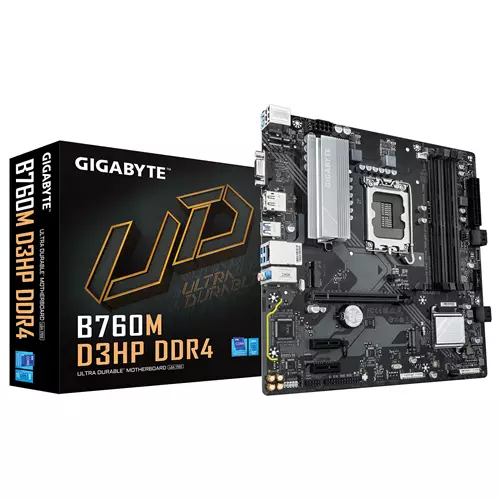
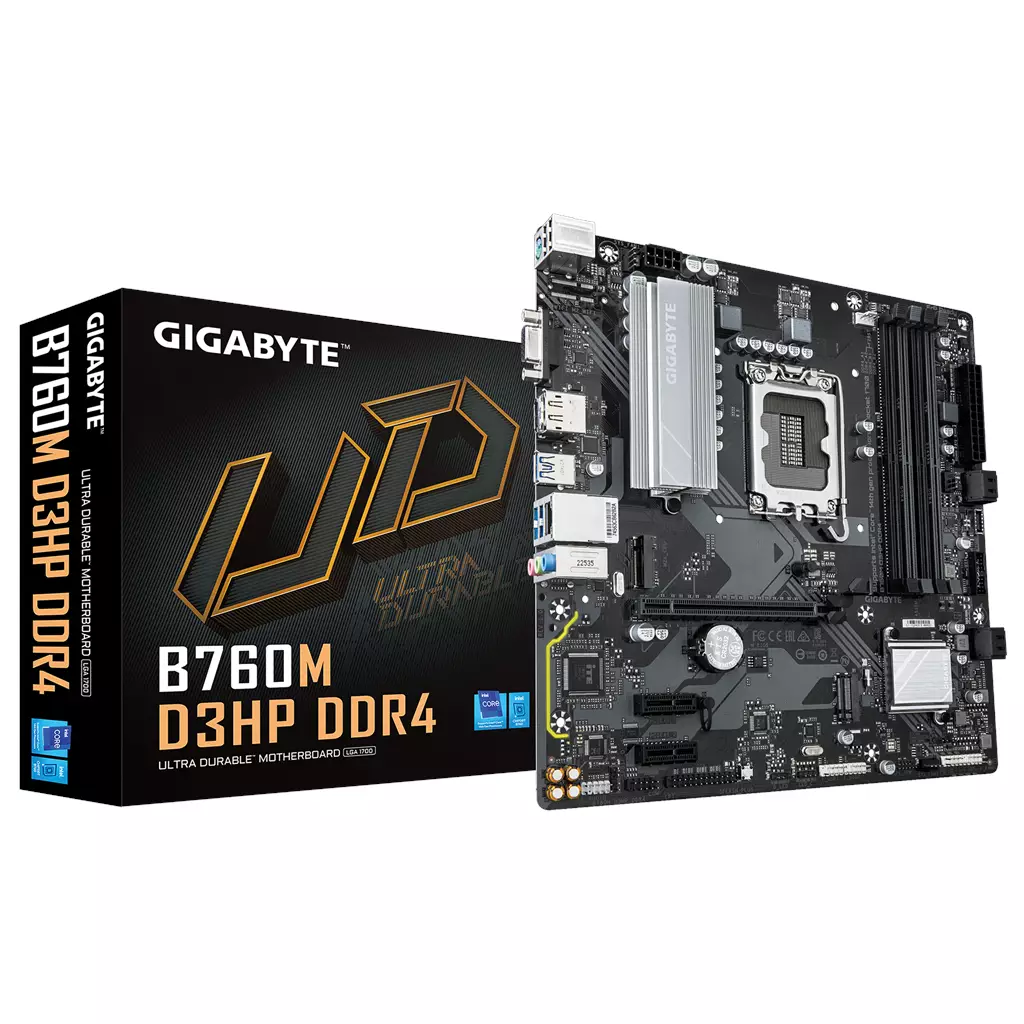
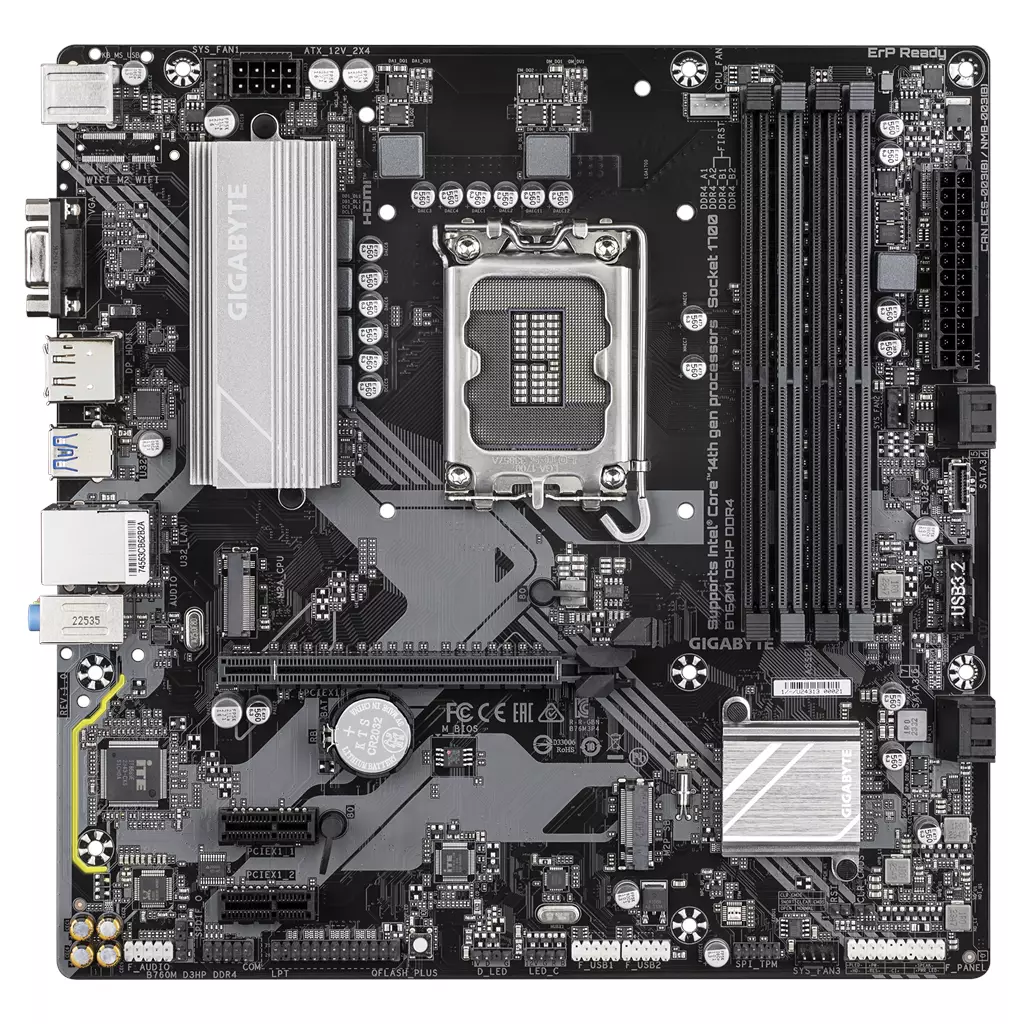
GIGABYTE B760M D3HP DDR4 Motherboard
£97.71
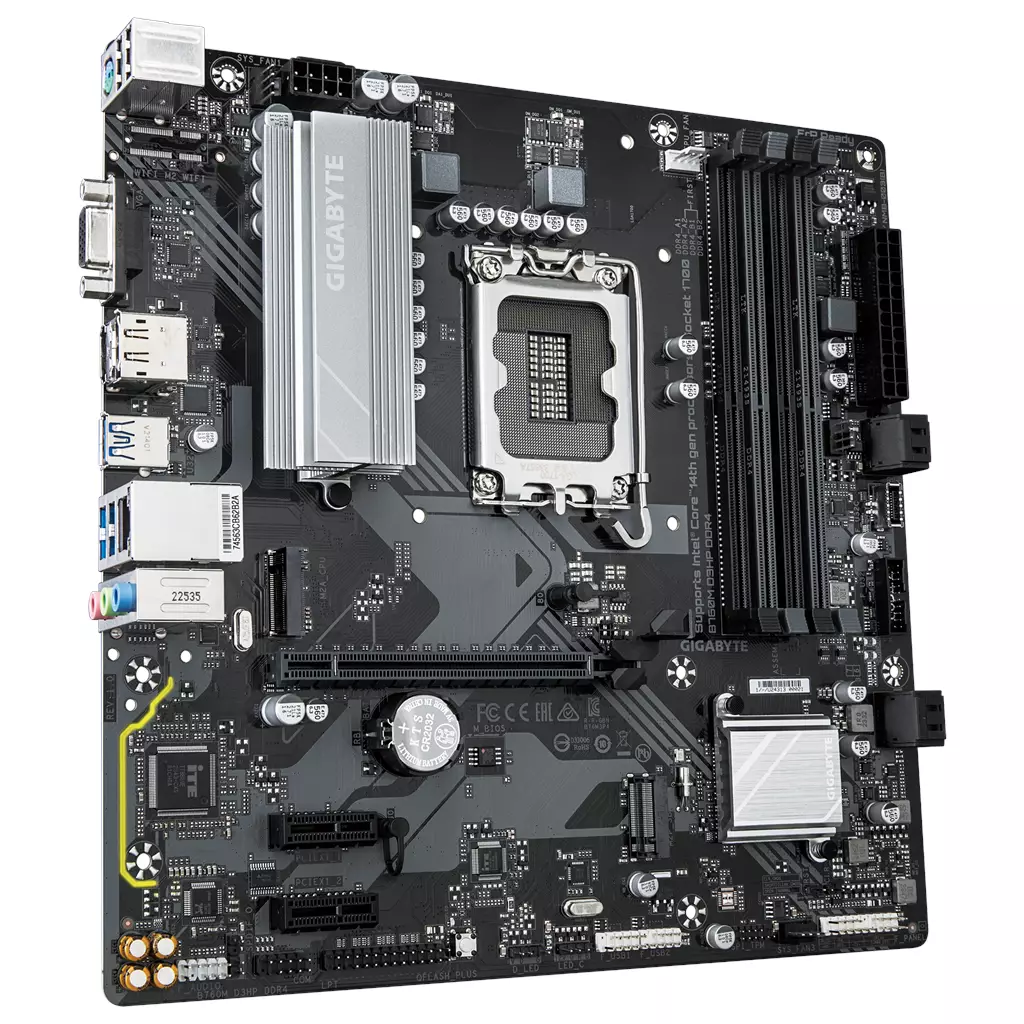
GIGABYTE B760M D3HP DDR4 motherboard supports Intel Core 14th/13th/12th processors, features a hybrid 4+1+1 digital VRM, dual‑channel DDR4 with four DIMM slots and XMP up to 5333 MHz (OC), plus two PCIe 4.0 x4 M.2 slots, GbE LAN and front USB‑C. Suitable for building a compact desktop focused on fast storage, high‑frequency memory and reliable daily performance.
GIGABYTE B760M D3HP DDR4 — B760-series DDR4 motherboard for Intel 14th/13th/12th CPUs
The GIGABYTE B760M D3HP DDR4 is the DDR4 variant of a B760‑series motherboard designed to support Intel Core 14th, 13th and 12th processors. It provides a platform that lets you use DDR4 memory while taking advantage of B760‑class features such as PCIe 4.0 storage and modern I/O conveniences.
This board looks most useful for a DIY builder who wants to reuse DDR4 memory or assemble a compact mainstream system for single‑GPU gaming, office productivity or light content‑creation tasks. It combines two PCIe 4.0 M.2 slots for NVMe storage, a PCIe 4.0 x16 slot for a discrete graphics card and a modest hybrid 4+1+1 digital VRM that is appropriate for typical desktop CPUs and modest overclocking, rather than extreme sustained overclocks.
Key confirmed facts you should note:
- Supports Intel Core 14th / 13th / 12th processors (check the exact CPU support list and required BIOS version).
- Dual‑channel DDR4 with 4 DIMM slots and XMP support up to 5333 MHz (OC) — useful if you plan to reuse or buy faster DDR4 kits.
- Two PCIe 4.0 x4 M.2 connectors for NVMe drives, and PCIe 4.0 x16 hardware support for at least one GPU slot.
- Hybrid 4+1+1 phases digital VRM — adequate for standard desktop CPUs and light overclocking; not positioned for extreme overclocking workloads.
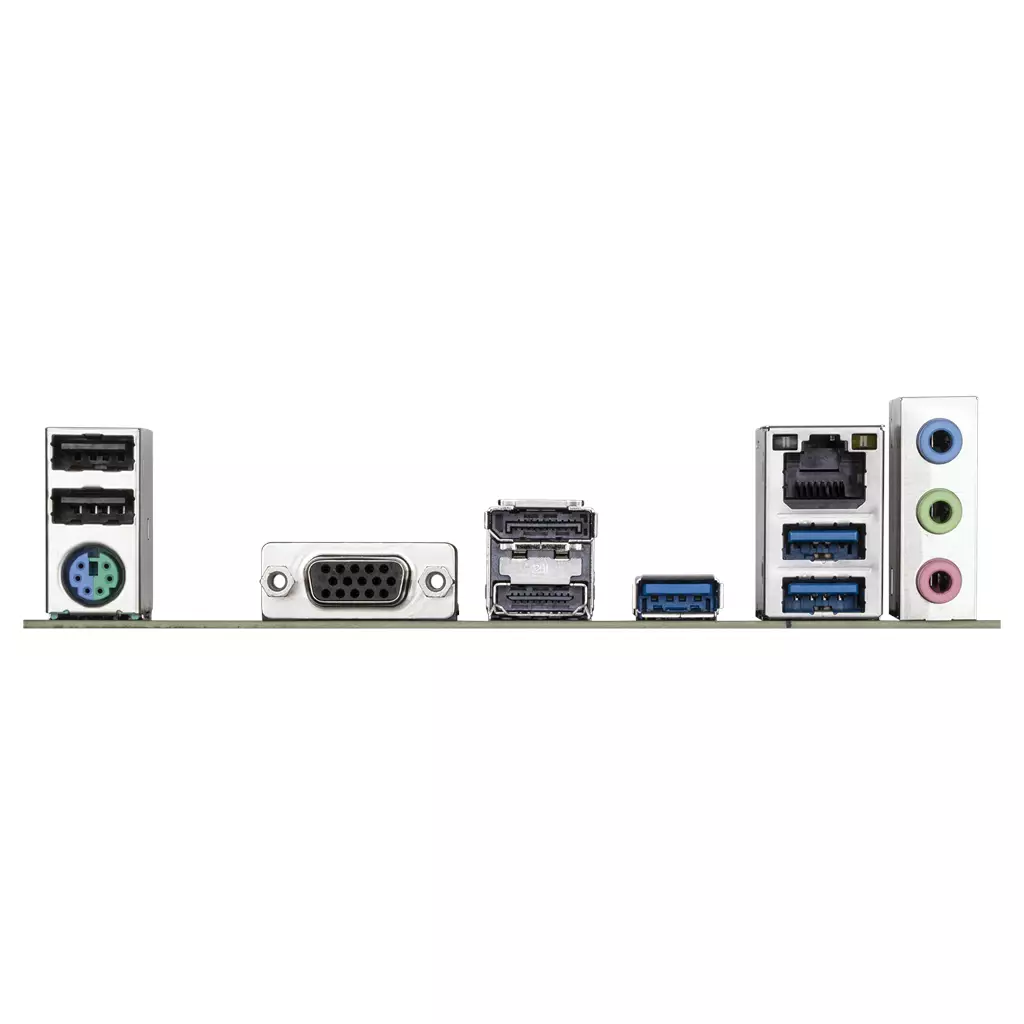
- Front USB‑C (5 Gb/s), USB 3.2 Gen1, GbE LAN, DisplayPort, HDMI and D‑Sub outputs; Smart Fan 6, EZ‑Latch for the PCIe slot and Q‑Flash Plus BIOS update without CPU/memory/GPU.
- Hi‑Fi audio capacitors and an Audio Noise Guard are fitted (audio codec model is not established from the supplied data).
Main practical trade‑off: you keep the cost and compatibility advantage of DDR4 memory and get PCIe 4.0 NVMe support, but several important implementation details are not established from the supplied data — including the exact CPU socket designation (LGA number), motherboard form factor, SATA port count and any M.2/SATA lane sharing, rear‑I/O port counts and versions, onboard Wi‑Fi/Bluetooth presence and the precise audio codec. Before buying, confirm the CPU support list/required BIOS version, the board’s physical form factor and connectors, and any accessory inclusions with the retailer or GIGABYTE. Q‑Flash Plus helps if a BIOS update is needed for newer CPUs.
At a glance — who this board suits and core strengths
The GIGABYTE B760M D3HP DDR4 is positioned for mainstream Intel-based desktop builds where the buyer wants to keep or buy DDR4 memory and still use recent Intel CPUs. It focuses on practical features for a single‑GPU gaming or productivity machine rather than extreme overclocking or multi‑GPU setups.
- Confirmed from the supplied data: Supports Intel Core 14th / 13th / 12th processors; B760M model name; Dual‑channel DDR4 with 4 DIMM slots; Q‑Flash Plus BIOS update; Smart Fan 6 fan control; GbE LAN; front USB‑C 5 Gb/s; 2× PCIe 4.0 x4 M.2 slots; Hybrid 4+1+1 digital VRM.
- How that matters: You can reuse DDR4 memory, run a discrete PCIe 4.0 GPU and fast NVMe storage, and update BIOS without a CPU installed if needed — useful for compatibility with newer CPU revisions.
- Not established from the supplied data: motherboard form factor, CPU socket designation (LGA number), maximum memory capacity per slot, SATA port count, rear I/O layout details and onboard Wi‑Fi/Bluetooth.
Memory and storage — real use, not just specs
Memory and NVMe storage are the most practical features for everyday responsiveness. This board confirms support for modern high‑speed DDR4 XMP kits and two PCIe 4.0 M.2 drives, which is good for a fast boot drive plus a large NVMe game or scratch drive.
- Memory: 4× DIMM, dual‑channel DDR4 with XMP support up to 5333 MHz (OC). That means you can install typical 8–32GB DIMMs in dual or quad‑DIMM configurations and enable an XMP profile for higher clocked RAM. Maximum total capacity and exact per‑slot limits are not established from the supplied data — check the official QVL and support pages for your kit.
- Storage: Two PCIe 4.0 x4 M.2 connectors are confirmed — excellent for very fast NVMe SSDs. SATA port count and any M.2/SATA lane sharing are not established from the supplied data, so if you rely on multiple SATA drives or optical drives, confirm those details.
- Practical advice: If re‑using older SATA SSDs/HDDs, verify the board’s SATA count. For high‑capacity or multiple NVMe setups, confirm physical M.2 spacing and thermal solution (standoffs/heatsinks) with the retailer/spec sheet.
Power delivery, cooling and overclocking in practice
The board uses a hybrid 4+1+1 phases digital VRM layout and GIGABYTE’s “Ultra Durable” component claims. That provides a stable platform for mainstream Intel CPUs and modest CPU overclocking or power draw increases, but it’s not positioned as a heavy‑duty enthusiast VRM for sustained extreme overclocks on high‑core‑count CPUs.
- Confirmed: Hybrid 4+1+1 phases digital VRM.
- What to expect: Good for typical gaming CPUs and everyday productivity processors; you should avoid assuming it matches high‑end VRMs designed for long‑term extreme overclocking or high sustained power on top‑end CPUs.
- Cooling features: Smart Fan 6 (multiple temperature sensors and hybrid fan headers) helps control case and CPU cooler fans; EZ‑Latch on the PCIe slot makes GPU removal easier in tighter builds.
- Unknowns to confirm: CPU power connector type (8‑pin vs 4+4), phase components and heatsink size/coverage details are not established from the supplied data — check the full spec PDF if you plan heavy CPU tuning.
Ports, networking and audio — what you actually get
This board includes a selection of modern connectivity but leaves several specifics unspecified in the supplied description. Know what is confirmed and what you must verify for your peripherals.
- Confirmed: Front USB‑C (5 Gb/s), USB 3.2 Gen1, GbE LAN with bandwidth management, DisplayPort, HDMI and D‑Sub display outputs listed, Hi‑Fi audio capacitors and an Audio Noise Guard.
- Practical implications: Front USB‑C at 5 Gb/s is useful for external SSDs and peripherals — but you must not assume it provides power delivery, DisplayPort Alt Mode or Thunderbolt functionality unless the full spec confirms those features. Display outputs let you use CPU iGPU video when the processor supports it, but HDMI/DP versions and maximum resolutions/VRR support are not established from the supplied data.
- Not established from the supplied data: exact rear I/O port counts and types, onboard Wi‑Fi/Bluetooth presence, the audio codec model, and whether any USB ports share lanes with internal connectors.
Upgradeability and build compatibility — what to confirm before fitting
The board is suitable for mainstream upgrades but several compatibility items are unspecified in the supplied data and should be confirmed for a smooth build.
- Confirmed benefits: Compatibility with Intel Core 14th/13th/12th CPUs (as stated) and Q‑Flash Plus to update BIOS without CPU/memory/GPU installed—useful if you need a BIOS update for a newer CPU.
- Must confirm: exact CPU socket (LGA number), motherboard form factor and dimensions to ensure case compatibility, maximum RAM capacity and QVL for your memory kit, SATA port count and any M.2/SATA sharing rules, full rear I/O list (USB counts, HDMI/DP versions), and presence/absence of onboard Wi‑Fi/Bluetooth.
- Practical tip: If you plan to reuse a high‑wattage PSU, large air cooler or a specific GPU, cross‑check the board’s clearance around the primary PCIe x16 slot and the CPU power connector layout to ensure cable routing and cooler compatibility.
GIGABYTE B760M D3HP DDR4 — final pre-purchase checks
Quick checklist of configuration-sensitive items to confirm before you buy.
- CPU socket and BIOS: confirm the exact CPU socket (LGA number) and check GIGABYTE’s CPU support list and required BIOS version for 14th‑gen CPUs; Q‑Flash Plus is listed and can help update BIOS without CPU/memory/GPU.
- Motherboard size & clearances: verify the board form factor and exact dimensions versus your case and CPU cooler — the form factor is not established from the supplied data.
- Memory limits & compatibility: check maximum supported RAM capacity, supported DIMM sizes and the QVL for your DDR4 XMP kits (5333 MHz is stated as OC-capable, but full capacity and module support are not established).
- Storage layout: the listing shows 2× PCIe 4.0 x4 M.2 connectors—confirm total SATA port count and any M.2↔SATA lane sharing that could affect drive choices (SATA details not established).
- PCIe slot wiring: confirm the number and electrical configuration of PCIe x16/x1 slots (x16/x8/x4 lane distribution or slot sharing is not established from the supplied data).
- Rear I/O and USB‑C capabilities: obtain the full rear I/O spec (exact USB counts/types, HDMI/DisplayPort versions, audio codec) and confirm whether front USB‑C supports Power Delivery or DisplayPort Alt Mode — these specifics are not established.
- Power, wireless and accessories: verify the CPU power connector type (8‑pin or 4+4) and PSU cable requirements; confirm presence/spec of onboard Wi‑Fi/Bluetooth (not established); and check which accessories are included (I/O shield, M.2 screws, SATA cables) and the warranty period.
Prices & Availability
Check and compare current prices and availability from retailers below.
 Quzo.co.uk