Thrustmaster TCA Quadrant Boeing Edition (Grey) Throttle Quadrant for Xbox Series X|S, Xbox One & PC
£177.04
Thrustmaster TCA Quadrant Boeing Edition (Grey)
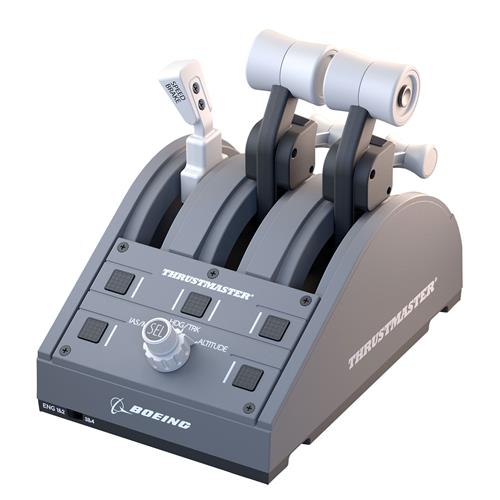
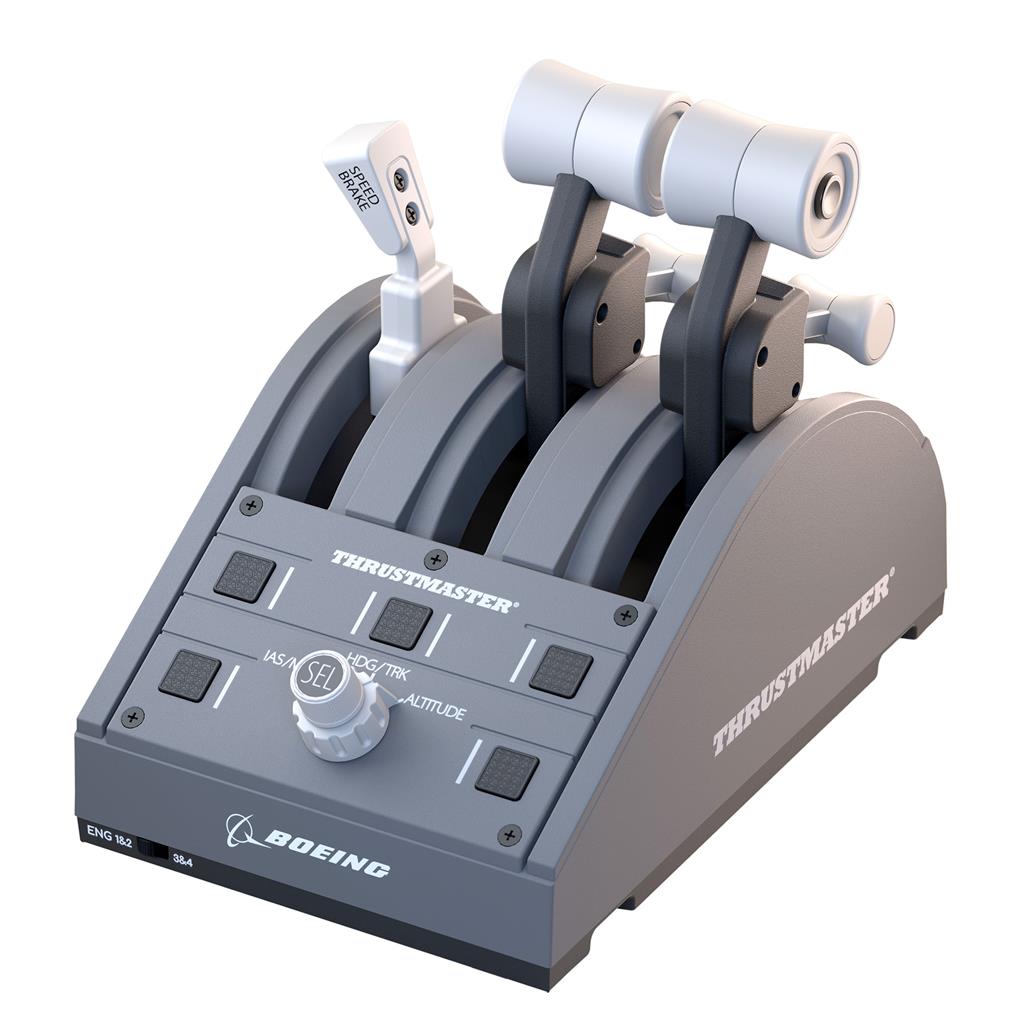
Officially licensed USB throttle quadrant for PC and Xbox One / Xbox Series X|S, built for flight simulation control. Delivers realistic Boeing linear resistance and an authentic autopilot rotary knob with H.E.A.R.T magnetic sensors (16‑bit) for precise inputs. Includes the TCA Quadrant Boeing Edition throttle quadrant with 4 swappable levers (wired USB).
Thrustmaster TCA Quadrant — Boeing Edition (Grey) for PC and Xbox
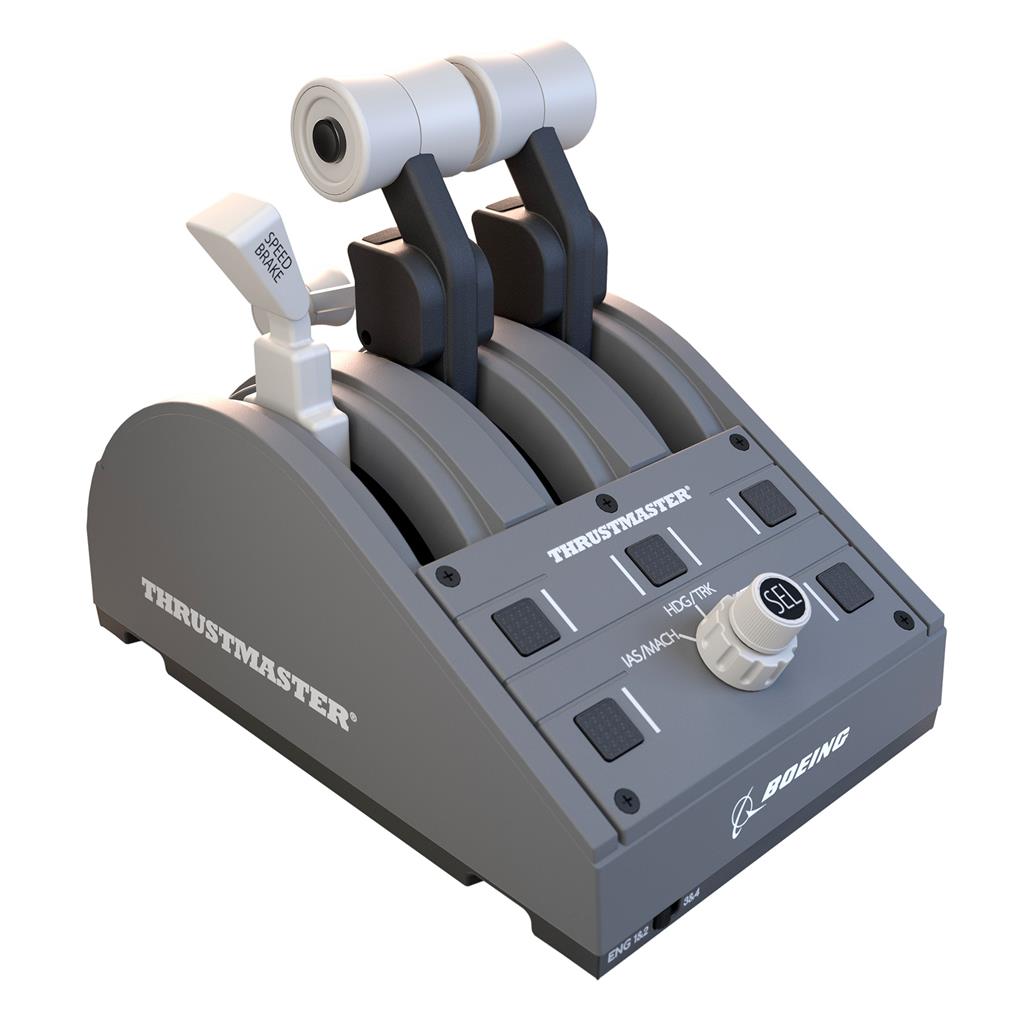
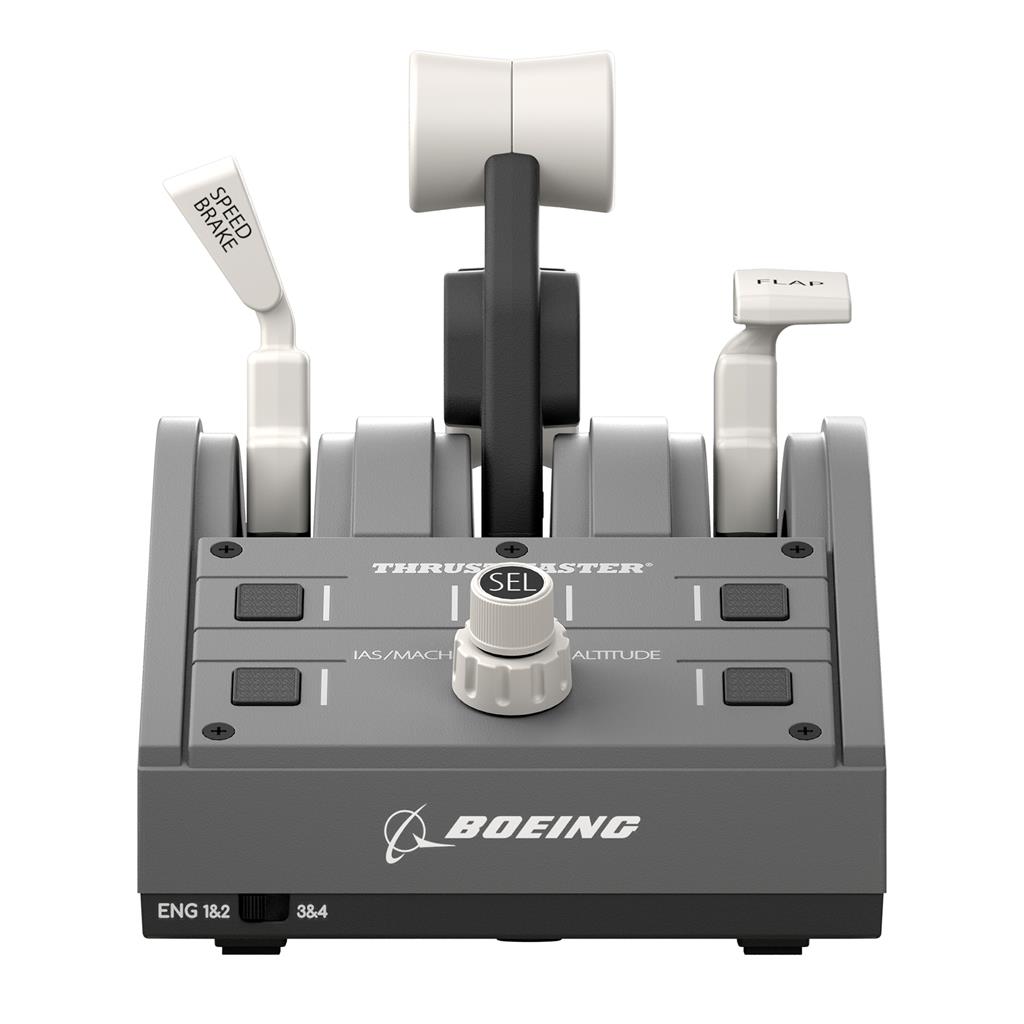
The TCA Quadrant Boeing Edition is a wired USB throttle quadrant designed for civil‑aviation flight simulation. Officially licensed by Boeing and Xbox, this Grey‑finish edition copies Boeing‑style controls: it offers a Boeing‑inspired linear resistance on the thrust levers, a dedicated autopilot rotary knob and four swappable physical levers. Thrustmaster’s H.E.A.R.T magnetic sensors provide 16‑bit resolution across the quadrant’s three axes.
This accessory is aimed at flight‑sim enthusiasts and cockpit builders who want a more realistic, dedicated throttle station rather than using a joystick or keyboard. It suits players who focus on civil aviation procedures and precise throttle management and who typically pair a quadrant with a yoke/joystick and rudder pedals for a fuller setup.
In practice you use the unit to manage thrust, position flaps and the speedbrake, and to make fine throttle adjustments and autopilot inputs where a simulator supports external controls. The unit connects via USB and lists compatibility with PC plus Xbox One and Xbox Series X|S; because some details (included cables, mounting hardware, drivers or firmware requirements) aren’t specified here, buyers should confirm box contents and any required software or console setup before purchase.
What this product is and who it’s for
The Thrustmaster TCA Quadrant Boeing Edition (Grey) is a wired USB throttle quadrant officially licensed by Boeing and Xbox for use with Xbox One/Xbox One X, Xbox Series X|S and PC. It’s a dedicated flight-simulation peripheral aimed at simmers and cockpit builders who want a Boeing-style civil aviation throttle layout, higher-precision inputs than consumer potentiometer-based devices, and the ability to place throttle, speedbrake and flaps levers to suit an ambidextrous setup.
Hardware and confirmed contents
- Included and confirmed: the TCA Quadrant Boeing Edition throttle quadrant and four swappable throttle levers (4 levers included).
- Key hardware features (confirmed): Boeing-inspired linear resistance feel on the thrust levers; a Boeing-style autopilot rotary knob; proprietary H.E.A.R.T magnetic sensors providing 16‑bit resolution across the quadrant’s three axes.
- Connection: wired USB (device is a physical USB accessory). The product listing does not establish additional included items (for example, explicit mention of a USB cable length/type, mounting clamps, screws or manual is not confirmed).
Compatibility, setup and platform notes
- Platforms listed as compatible: Xbox One family (Xbox One / Xbox One X), Xbox Series X|S, and PC (Windows). The device is officially licensed for Xbox consoles.
- Connection method is USB; expect plug-and-play behaviour on consoles where supported, and standard USB peripheral setup on PC. The listing does not confirm specific OS versions, driver or firmware requirements, or whether companion Thrustmaster software is required for advanced mappings or updates.
- Because some details are not stated (cable details, included mounting hardware, drivers/warranty terms), check manufacturer documentation or retailer specifications before purchase if those items are critical to your setup.
How it behaves in use and what to expect
- Precision and drift: H.E.A.R.T magnetic sensors with 16‑bit resolution provide fine-grained analog input and reduced wear-related drift compared with traditional potentiometers—useful for precise throttle settings and autothrottle interactions in sims.
- Throttle feel: the quadrant is designed to replicate the linear resistance experienced on a Boeing Dreamliner throttle quadrant, giving a firmer, more aircraft-like feel when moving levers.
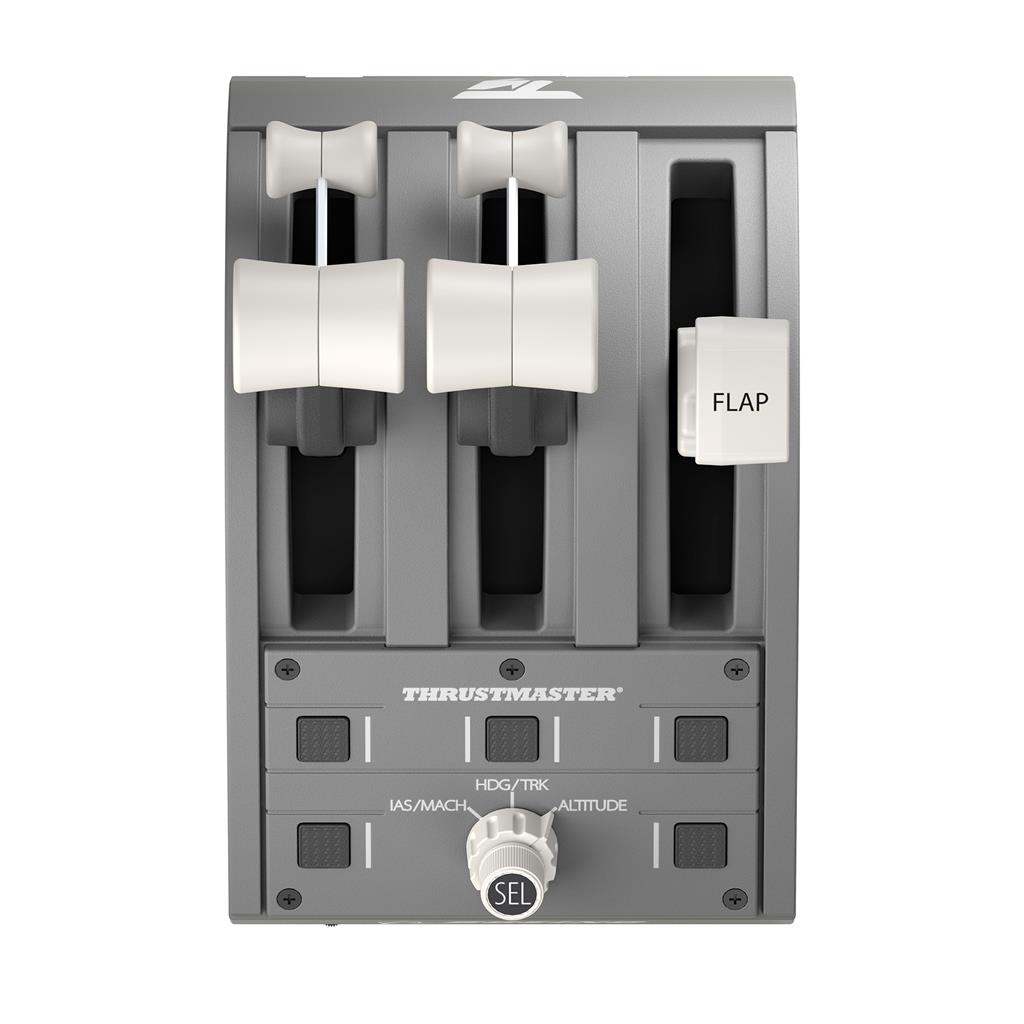
- Layout flexibility: all four levers are swappable so you can arrange them for left- or right-handed throttle control and position flaps/speedbrake where you prefer for your desk or cockpit rig.
- Autopilot control: the dedicated Boeing-style rotary autopilot knob provides a tactile control intended for heading/altitude/airspeed inputs where the simulator supports such a control surface.
- Integration: the quadrant is designed to be used alongside other flight peripherals (yoke/joystick, pedal sets). It’s a separate, wired device that will occupy desk or rig space and may require mounting planning depending on your setup.
Integration with flight simulators and mapping guidance
The quadrant supplies analogue throttle axes plus discrete controls (swappable levers and the autopilot rotary). In practice you’ll assign throttle levers, speedbrake and flaps to the corresponding simulator inputs and map the autopilot knob to the simulator’s heading/altitude/airspeed controls if supported. Specific in-game mappings and plug‑and‑play compatibility vary by title and platform; consult your simulator’s controller configuration menus and any Thrustmaster PC software or firmware notes for exact mapping procedures and recommended settings.
Thrustmaster TCA Quadrant Boeing Edition (Grey) — final pre-purchase checks
Quick checks to confirm this wired USB throttle quadrant will work for your setup and needs.
- Confirm the exact platform you need (PC or Xbox) and that this Xbox‑licensed edition is fully compatible with your console model (Xbox One / Xbox One X / Xbox Series X|S) or your PC — ask whether any console settings or firmware/driver updates are required for plug‑and‑play.
- Verify exact box contents with the seller/manufacturer: are the 4 swappable levers included (listed), and is a USB cable (type/length), mounting clamps/brackets, screws and a quick‑start manual provided?
- Ask which PC operating systems and driver/companion software are supported, where to download drivers/firmware, and how updates are applied.
- Confirm that no game, DLC, activation code or subscription is included or required; check whether your intended flight sims explicitly support the quadrant’s autopilot rotary knob and mappings (game compatibility may vary).
- Check warranty terms, regional service/support availability and the seller’s return policy; confirm packaging languages if that matters for setup documentation.
- Ensure the unit will physically fit your desk or cockpit rig and that you have a free USB port (or powered hub if needed); confirm whether additional mounting hardware is required or sold separately.
Prices & Availability
Check and compare current prices and availability from retailers below.