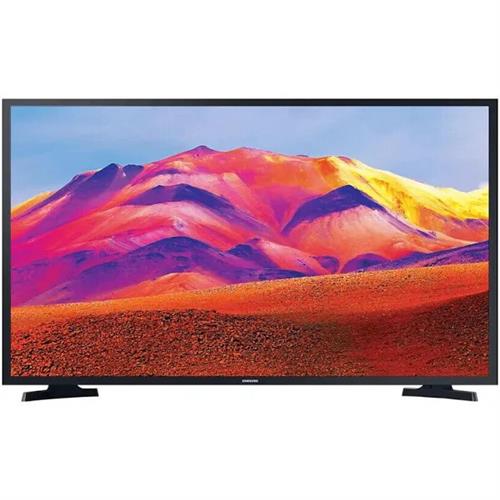
Sony KD32W800P1U 32-inch HD Ready HDR Smart LED TV
£319.00
A 32-inch Sony HD Ready HDR Smart LED TV (model KD32W800P1U) with an LED display, HDR support and built-in smart TV functionality. Suited to small living rooms, bedrooms or kitchens as a compact screen for everyday viewing and streaming from apps.
Sony KD32W800P1U — 32″ HD Ready HDR Smart LED TV for small rooms
The Sony KD32W800P1U is listed as “KD32W800P1U 32" HD Ready HDR Smart LED TV” and is identified by the model code KD32W800P1U. Those are the confirmed, authoritative details: it’s a compact 32‑inch smart LED set that carries an HD Ready and HDR label. Other specification items are not supplied in the product data and should be verified before purchase.
This set suits buyers who want a tidy, budget‑oriented second TV for a bedroom, kitchen, student flat or small living room — somewhere a 32″ screen is the right size. Expect a practical smart‑TV experience for streaming and casual viewing and the ability to connect a games console for light play. It is not intended for buyers who require native 4K resolution, high refresh‑rate gaming, or premium cinema‑grade picture or sound.
Before you decide, check a handful of points that determine everyday usability and compatibility:
- Confirm the TV’s native resolution (what “HD Ready” means here) and the panel’s refresh rate.
- Verify which HDR formats are supported and the panel’s peak brightness for real HDR benefits.
- Check HDMI count and version, and whether ARC/eARC and other audio outputs are present for a soundbar.
- Confirm the smart platform and the streaming apps, plus any UK tuner support (e.g. Freeview variants).
Viewing distance and picture expectations
With a confirmed 32″ screen, the practical sharpness you perceive depends heavily on the TV’s native resolution. Because the product data does not list the pixel count, plan for both possibilities when placing the set.
- If the panel is an HD resolution (common for “HD Ready” labels), sit roughly 1.5–2.5 metres away to avoid visible pixelisation and to keep text/menus comfortably legible.
- If the panel is Full HD or higher, you can comfortably sit closer; if you want to use the set as a desktop monitor substitute, verify the exact resolution before committing.
- HDR labels can improve highlight detail only when the panel and backlight deliver sufficient peak brightness and contrast. In practice, modest 32″ budget sets often show limited HDR benefit in bright rooms—expect the biggest HDR effect in dimmer viewing conditions unless peak brightness is specified.
Placement, mounting and physical setup
- Measure the intended TV location before buying: check shelf depth or cabinet clearance if using the supplied stand. The stand footprint varies by model and can limit placement on narrow TV cabinets.
- Wall‑mounting: confirm the TV’s VESA pattern and the distance from the wall to the screen/back plate (thin-profile mounts can help in tight spaces). For a 32″ set, common VESA sizes are small (e.g., 100×100 mm), but always verify.
- Plan cable routing and power access. Single‑socket bedrooms/kitchens may require a short extension or a tidy cable channel; if you plan a soundbar under the set, allow vertical clearance for airflow and remote IR paths.
- Note the likely lightweight chassis—place out of reach of pets/children and secure where tipping is a risk.
Sound, light gaming and everyday system use
Compact LED TVs typically have modest internal speakers with limited bass and overall volume. For movie or console use you’ll often want an external audio solution.
- Check the TV’s audio outputs: optical digital out or HDMI ARC make connecting a compact soundbar straightforward. If neither is present, consider a soundbar with optical or analogue inputs.
- For casual gaming: confirm the panel’s native refresh rate and any low‑latency game mode. If you use a modern console, check whether the set supports 60 Hz gameplay cleanly—don’t assume 120 Hz or HDMI 2.1 features are available.
- Input lag guidance: for relaxed console play, under ~40 ms is acceptable; competitive gamers usually target significantly lower figures—request measured input‑lag figures if gaming is important.
- Test the remote, on‑screen menus and app responsiveness in store or from reviews—budget TVs can vary in UI speed and firmware polish, which affects day‑to‑day satisfaction.
Sony KD32W800P1U — final pre-purchase checks
Before you buy, confirm only the specific technical details that can change installation, compatibility or everyday use:
- Native panel resolution: exact pixel count (e.g. 1366×768 vs 1280×720) — this determines perceived sharpness and comfortable viewing distance.
- HDR capability and performance: which HDR formats are supported (HDR10, HLG, Dolby Vision, HDR10+) and the panel’s peak brightness/contrast figures for meaningful HDR effect.
- HDMI/audio port specifics: number and version of HDMI ports, which port(s) (if any) support ARC or eARC, and whether any ports have bandwidth or feature limits relevant to consoles/soundbars.
- UK tuner/streaming compatibility: which broadcast tuner is included (Freeview / Freeview HD / Freeview Play or other) and which streaming apps are preinstalled or supported.
- Mounting and placement dimensions: VESA pattern, full physical width/depth with stand, and stand footprint to ensure wall‑mount or cabinet fit.
- Network and audio outputs: presence of Ethernet, Wi‑Fi standard, Bluetooth (and audio codec support), plus optical or analogue audio outputs for external speakers.
Prices & Availability
Check and compare current prices and availability from retailers below.